Canonical makes AI in Ubuntu optional: local models and user control come first
Canonical is taking an approach to AI in Ubuntu that is rare in the market: instead of pushing features on users, it lets them choose. One clarification on dates: Ubuntu 26.04 LTS, released on April 23, 2026, does not ship the new AI features out of the box. Previews are planned to begin with Ubuntu 26.10. The bet is on local models, Snap isolation and modularity rather than forced integration.
AI-processed from ZDNet AI; edited by Hamidun News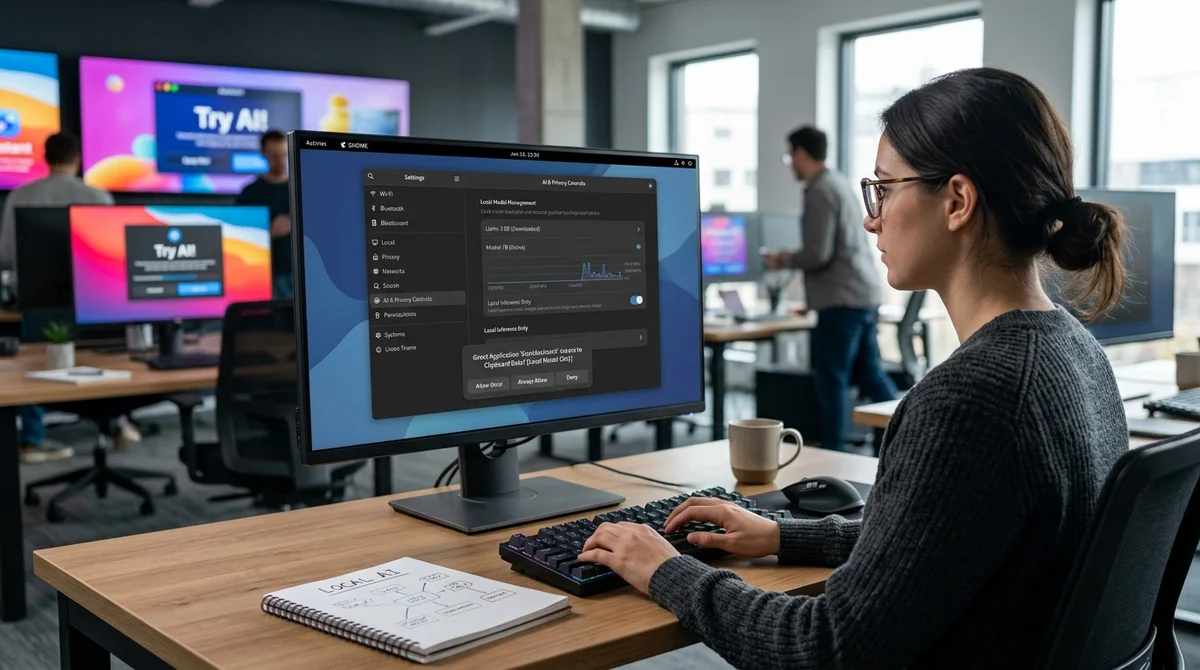
Canonical has chosen a path that is rare in 2026: rather than building AI into Ubuntu on an "enabled by default" basis, it gives users and administrators the right to decide whether they need it at all. Next to Windows and other mainstream platforms, this looks almost countercultural.
Not like Windows
The discussion was triggered by Canonical's position on Ubuntu's direction after the release of Ubuntu 26.04 LTS, which came out on April 23, 2026. A few days later, on April 27, Jon Seager, Vice President of Ubuntu Engineering, described in detail how the company plans to add AI features: carefully, in stages, and with priority on user control. Then, on April 28, Canonical separately clarified an important detail: Ubuntu 26.04 LTS itself does not ship with these new AI capabilities out of the box. What is under discussion is a roadmap for the coming months and a preview that is planned to start with Ubuntu 26.10.
This is exactly what sets Canonical's approach apart from how large consumer-OS vendors promote AI. Microsoft keeps weaving Copilot deeper into Windows, and the controversy around Recall showed how painful user reaction can be when AI features arrive before clear privacy and management settings. Canonical argues the opposite way around: boundaries first, features second. For the Linux community and enterprise customers, this sounds like respect for the administrator rather than marketing dictate.
Local and by choice
Canonical's strategy rests on local inference by default, open-weight models, and packaging AI components as Snaps, using the isolation mechanisms Ubuntu users already know. The company says outright that it does not intend to run models in the background just for the sake of having AI. If a feature is not enabled, the model should not consume resources, network or the user's attention. Moreover, the models themselves need not even appear on the system until the relevant capability is explicitly turned on.
- AI features are planned as opt-in, and the first previews will require the user's explicit consent
- Local models and local inference are the default, with no mandatory sending of data to the cloud
- Components will ship as separate Snap packages that can be removed if necessary
- To manage risk, Canonical wants to use sandboxing and fine-grained permissions rather than a "magic" global mode
Canonical also addressed the contentious issue of a "global AI kill switch." Formally, the company does not plan to build a single master switch, but its explanation is pragmatic: the Linux ecosystem has too many different scenarios for installing and consuming software for such a switch to be honest and universal. Instead, the bet is on modularity: if you don't want AI features, you don't enable them, or you remove the corresponding packages. For IT teams, it is also a convenient way to roll out new features selectively rather than across the whole fleet at once.
Where AI will appear
Seager divides Ubuntu's future AI capabilities into two groups. The first is behind-the-scenes support for familiar OS functions: for example, improvements to speech-to-text, text-to-speech, accessibility and other system scenarios, where a model works in the background but doesn't push a chat interface on the user. The second is more explicit AI-native scenarios and agentic workflows for those who really need them. Examples include help diagnosing problems, automating routine tasks, and easier access to Linux capabilities that remain too complex for many people today.
"Ubuntu is not turning into an AI product, but it can become stronger
through thoughtful integration of AI."
This is especially interesting for the corporate audience. Canonical talks explicitly not only about the desktop but also about server and SRE scenarios: log analysis during incidents, limited agentic actions within existing access rights, and full auditability of decisions. For companies, this sounds much closer to real security requirements than a model of "embed AI everywhere first, deal with the consequences later." In addition, Ubuntu 26.04 already takes a step toward AI infrastructure on its own: the release natively added CUDA and AMD ROCm to its repositories, so the platform is ready for AI workloads even without mandatory AI features in the interface.
What it means
Canonical is trying to occupy a rare position between AI skepticism and AI hype. The company is not abandoning models and agentic scenarios, but neither does it pretend that all users need the same set of "smart" features. If this approach works, Ubuntu could become an example of how to build AI into an operating system without coercion: locally, modularly and with clear consent at every step.
And that is a lesson Microsoft would do well to study carefully.
- Nov 2, 2026Anthropic needs to grow revenue 32% a year to cover $850 billion in contracts
- Nov 2, 2026Microsoft releases 4B model Mage-VL-Cowork, which solves 66.0% of OSWorld-Verified tasks
- Nov 1, 2026Google's StreamVibe video agent beats other models by 10.7% on response timing and quality
- Oct 30, 2026Mistral opens Large 4 weights: strong at code, but Chinese models score 32 to its 26
Key Questions Answered
What are the key details on Not like Windows?
The discussion was triggered by Canonical's position on Ubuntu's direction after the release of Ubuntu 26.04 LTS, which came out on April 23, 2026. A few days later, on April 27, Jon Seager, Vice President of Ubuntu Engineering, described in detail how the company plans to add AI features: carefully, in stages, and with priority on user control. Then, on April 28, Canonical separately clarified an important detail: Ubuntu 26.04 LTS itself does not ship with these new AI capabilities out of the box. What is under discussion is a roadmap for the coming months and a preview th
What are the key details on Local and by choice?
Canonical's strategy rests on local inference by default, open-weight models, and packaging AI components as Snaps, using the isolation mechanisms Ubuntu users already know. The company says outright that it does not intend to run models in the background just for the sake of having AI. If a feature is not enabled, the model should not consume resources, network or the user's attention. Moreover, the models themselves need not even appear on the system until the relevant capability is explicitly turned on. AI features are planned as opt-in, and the first previews will requi
Where AI will appear?
Seager divides Ubuntu's future AI capabilities into two groups. The first is behind-the-scenes support for familiar OS functions: for example, improvements to speech-to-text, text-to-speech, accessibility and other system scenarios, where a model works in the background but doesn't push a chat interface on the user. The second is more explicit AI-native scenarios and agentic workflows for those who really need them. Examples include help diagnosing problems, automating routine tasks, and easier access to Linux capabilities that remain too complex for many people today. "Ubu
Test Frontier LLMs & Autonomous Agents in One Workspace
Run Claude Opus 5.5, GPT-6, Gemini 3.1, and DeepSeek side-by-side in Nomad AI (nomadnet.ai) — unified model routing, deep research, and multimodal workflows under one subscription.
The AI world, distilled — once a week
Seven stories that actually mattered, hand-picked. No noise, no reposts, no press releases.
Done! Check your inbox for a confirmation.