Managing AI Agents Just Got Easier: The Best Open-Source Interfaces
A new crop of open-source tools with graphical interfaces has emerged for managing AI agents. They let users build complex task pipelines, distribute work across multiple agents, and track execution through an intuitive UI, with no code required. They're a strong fit for teams working with multi-agent systems.
AI-processed from Habr AI; edited by Hamidun News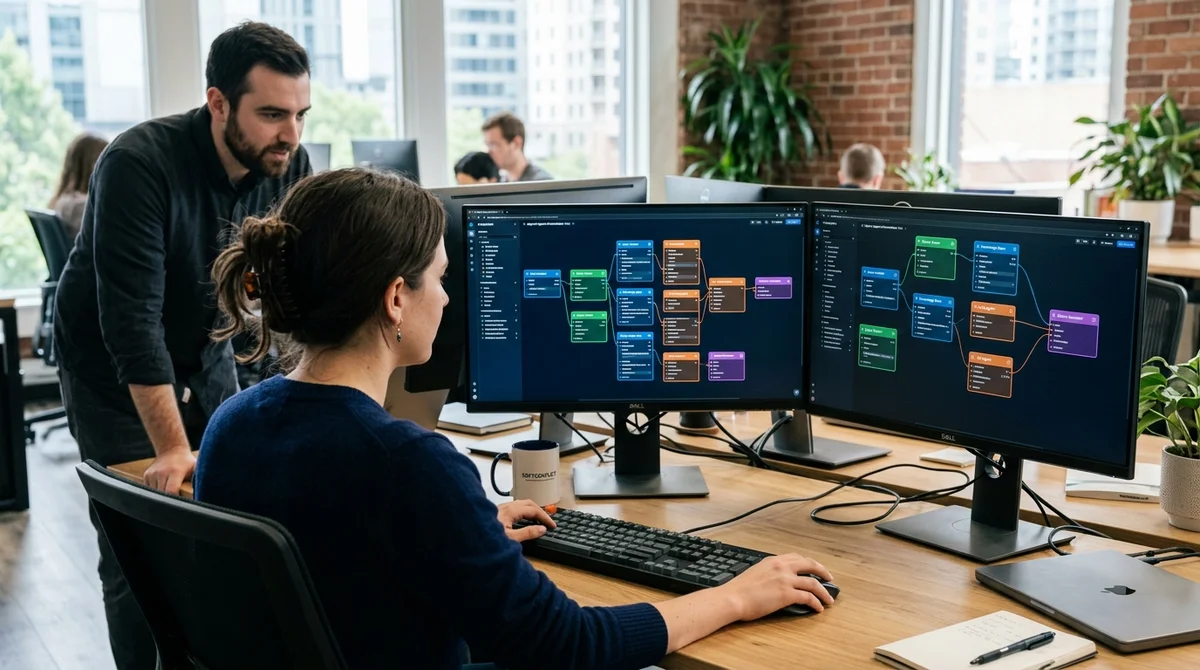
The world of AI agents is getting complicated fast. A single LLM assistant used to be enough for a linear task. Today, serious projects run entire fleets of agents: each one specializes in part of the job, and they all have to work together. Managing all of this in code is getting expensive and slow. That's why graphical interfaces for coordinating and orchestrating multi-agent systems have appeared.
The scaling problem: from one agent to a fleet
When one agent runs one linear chain of actions, the code stays simple and readable. But once you add parallel tasks, conditional logic, error handling, and restarts after failures, the code balloons and turns chaotic.
The second problem is visibility. How do you track which agent is doing what, and when? Where does one agent's work end and another's begin? How do you quickly reconfigure the system when requirements change? All of this calls for either careful debugging or a tool that shows clearly what's going on.
That's where graphical interfaces come in. Instead of code, you get a visual builder: agents are blocks, and the connections between them are arrows. Think Figma, but for AI workflows.
Which open-source tools are already mature
The open-source market already has several strong players ready for production use:
- AutoGen (Microsoft Research) — a framework for multi-agent applications with built-in support for visualizing conversations and configurations
- Crew AI — focused on coordinating teams of agents for complex multi-step projects
- LangChain with LangSmith UI — chain management and parameterization with in-browser monitoring
- Temporal — scalable orchestration of long-running workflows with a full-featured UI
- Apache Airflow — a DAG-based pipeline tool with a web-based management interface
All of them offer either a built-in UI or integration with graphical dashboards. That means a specialist can build and configure a system without being limited to editing JSON or YAML.
In practice: how this speeds up development
Engineers and product managers can now assemble task execution scenarios with almost no programming. Instead of writing a Python script, they drag agents onto a canvas, wire up inputs and outputs, and set parameters.
The result: the development cycle gets several times shorter. Changes that used to take an hour of code debugging can now be reconfigured in minutes. Teams can test hypotheses quickly: reorder agents, add new participants, and change logic conditions.
What this means for business
AI agents are no longer a tool just for ML specialists and senior engineers. With user-friendly graphical interfaces, product managers, analysts, and operations teams will be able to manage agent fleets.
That means companies will be able to automate complex multi-step processes much faster, from document processing to customer support. The barrier to entry is dropping, and experimentation is getting cheaper.
- Nov 1, 2026Google's StreamVibe video agent beats other models by 10.7% on response timing and quality
- Oct 30, 2026Mistral opens Large 4 weights: strong at code, but Chinese models score 32 to its 26
- Oct 30, 2026128 AI Agents With No Boss Passed 49% More Tests Than One
- Oct 29, 2026Stanford AI tool verifies part of Signal's code in half a day for under $500, versus five months of expert work
Key Questions Answered
What are the key details on The scaling problem: from one agent to a fleet?
When one agent runs one linear chain of actions, the code stays simple and readable. But once you add parallel tasks, conditional logic, error handling, and restarts after failures, the code balloons and turns chaotic. The second problem is visibility. How do you track which agent is doing what, and when? Where does one agent's work end and another's begin? How do you quickly reconfigure the system when requirements change? All of this calls for either careful debugging or a tool that shows clearly what's going on. That's where graphical interfaces come in. Instead of code,
Which open-source tools are already mature?
The open-source market already has several strong players ready for production use: AutoGen (Microsoft Research) — a framework for multi-agent applications with built-in support for visualizing conversations and configurations Crew AI — focused on coordinating teams of agents for complex multi-step projects LangChain with LangSmith UI — chain management and parameterization with in-browser monitoring Temporal — scalable orchestration of long-running workflows with a full-featured UI Apache Airflow — a DAG-based pipeline tool with a web-based management interface All of them
What are the key details on In practice: how this speeds up development?
Engineers and product managers can now assemble task execution scenarios with almost no programming. Instead of writing a Python script, they drag agents onto a canvas, wire up inputs and outputs, and set parameters. The result: the development cycle gets several times shorter. Changes that used to take an hour of code debugging can now be reconfigured in minutes. Teams can test hypotheses quickly: reorder agents, add new participants, and change logic conditions.
Test Frontier LLMs & Autonomous Agents in One Workspace
Run Claude Opus 5.5, GPT-6, Gemini 3.1, and DeepSeek side-by-side in Nomad AI (nomadnet.ai) — unified model routing, deep research, and multimodal workflows under one subscription.
The AI world, distilled — once a week
Seven stories that actually mattered, hand-picked. No noise, no reposts, no press releases.
Done! Check your inbox for a confirmation.