RooCode for VS Code: How to Set Up Multi-Agent Development Without Chaos or Wasted Model Calls
RooCode for VS Code takes a multi-agent approach. It uses separate modes for questions, architecture, code, and debugging, and an Orchestrator hands tasks between them. The breakdown explains why synchronous execution makes the process more predictable and how MCP servers cut down on errors and unnecessary requests. It also makes the case for configuring the system in a spiral: start with basic parameters and skills, then move on to providers, testing, and new iterations.
AI-processed from Habr AI; edited by Hamidun News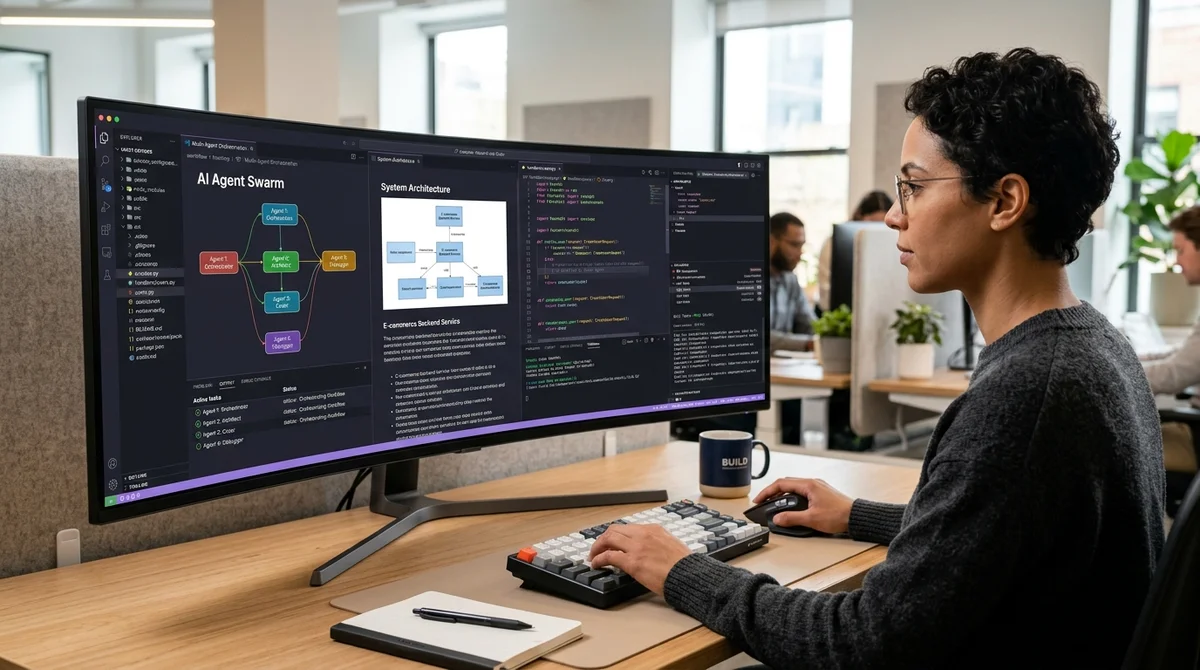
RooCode for VS Code doesn't give you a single all-purpose AI assistant. Instead, it offers a set of specialized modes that work as a team. The core idea of the breakdown is simple: don't try to make one model do everything at once. Split tasks between modes and gradually tune the configuration into a stable working loop.
Five roles in the IDE
RooCode is built on a multi-agent design with five built-in modes: Orchestrator, Ask, Architect, Code, and Debug. Rather than one chat that juggles architecture, writes code, answers questions, and hunts bugs all at once, the extension splits these functions apart. This mirrors real engineering work more closely: one role gathers requirements, another designs the solution, a third writes the implementation, and a fourth investigates failures. In this model, Orchestrator acts as a dispatcher. It routes each task to the right loop and keeps the process within clear bounds.
- Orchestrator — takes the task and decides which mode is needed for the next step.
- Ask — quick questions about code, ideas, and documentation without unnecessary generation.
- Architect — designs the structure, interfaces, and overall plan of changes.
- Code — writes and edits code, focusing on the concrete implementation.
- Debug — finds the cause of an error, tests hypotheses, and fixes failures.
The breakdown puts particular emphasis on synchronous task execution. The point isn't maximum speed at any cost; it's predictability. When modes run sequentially and each has a clear area of responsibility, there's less risk that an agent will jump between contexts, duplicate steps, or produce plausible but unnecessary answers. For development, that matters more than a flashy demo of parallel agents: it's better to go a little slower and have a clear logic for how a task moves through the system.
Configuring in a spiral
The article's key argument is that you shouldn't configure RooCode as a monolithic system where everything is planned up front. Instead, it suggests working in a spiral: set the basic parameters first, then add skills, refine how the modes behave, pick providers, and only then revisit the parts you've already built with a better understanding. This cycle helps because the quality of agentic development doesn't hinge on a single checkbox in the settings. It depends on how well roles, prompts, tools, and constraints fit together.
In practice, it looks like this:
- first, clean up the base configuration and the general instructions;
- next, connect skills for recurring scenarios;
- then give each mode its own role and response format;
- after that, choose providers and models for specific types of tasks;
- finally, test the system on real cases and refine it based on the results.
This order guards against a common mistake: users jump straight into fine-tuning prompts or spend ages cycling through models before they've gotten the system right at the basic level. If Orchestrator doesn't understand when to call Architect and when to call Code, no expensive model will save you from the noise. The spiral approach, by contrast, lets you spot the bottleneck at each turn and fix exactly that, without breaking the whole configuration.
Why MCP matters
Another advantage of RooCode is its support for MCP servers. The article describes them as a way to cut errors and unnecessary LLM requests by giving agents access to external data and tools through a more structured channel. If an agent can pull precise context from the file system, documentation, a browser, or internal services, it doesn't have to guess what exists outside the chat. That reduces hallucinations, lowers token consumption, and makes answers less vague.
In practice, this means more stable development in VS Code. Instead of endlessly re-explaining the project in prompts, a team can move some of its knowledge and operations into tools and leave the modes responsible only for decisions within their own area. As a result, Ask answers local questions faster, Architect relies more on the project's real constraints, Code drifts from the structure less often, and Debug has a better chance of reaching the root of a problem instead of treating symptoms.
What it means
RooCode shows that the next step in AI-assisted development isn't just a stronger model but stricter organization of how it works. The more clearly roles, tools, and configuration stages are separated, the closer the agentic environment in VS Code gets to a real workflow, and the further it moves from a chaotic chat that sometimes writes code.
- Nov 1, 2026Local models lose to Opus and Codex: 0.21 on a MacBook versus 1.00 for Codex
- Nov 1, 2026Adobe's EditAgent judge picks a usable edit 81.3% of the time, versus 74.8% for EditScore
- Nov 1, 202616 models tested on 7 search tools: Exa averaged 10.5 out of 14, SearXNG about 3
- Nov 1, 2026Google's StreamVibe video agent beats other models by 10.7% on response timing and quality
Key Questions Answered
What are the key details on Five roles in the IDE?
RooCode is built on a multi-agent design with five built-in modes: Orchestrator, Ask, Architect, Code, and Debug. Rather than one chat that juggles architecture, writes code, answers questions, and hunts bugs all at once, the extension splits these functions apart. This mirrors real engineering work more closely: one role gathers requirements, another designs the solution, a third writes the implementation, and a fourth investigates failures. In this model, Orchestrator acts as a dispatcher. It routes each task to the right loop and keeps the process within clear bounds. Or
What are the key details on Configuring in a spiral?
The article's key argument is that you shouldn't configure RooCode as a monolithic system where everything is planned up front. Instead, it suggests working in a spiral: set the basic parameters first, then add skills, refine how the modes behave, pick providers, and only then revisit the parts you've already built with a better understanding. This cycle helps because the quality of agentic development doesn't hinge on a single checkbox in the settings. It depends on how well roles, prompts, tools, and constraints fit together. In practice, it looks like this: first, clean
Why MCP matters?
Another advantage of RooCode is its support for MCP servers. The article describes them as a way to cut errors and unnecessary LLM requests by giving agents access to external data and tools through a more structured channel. If an agent can pull precise context from the file system, documentation, a browser, or internal services, it doesn't have to guess what exists outside the chat. That reduces hallucinations, lowers token consumption, and makes answers less vague. In practice, this means more stable development in VS Code. Instead of endlessly re-explaining the project
Build & Ship Production AI Agents Without Boilerplate Code
Start your free 72-hour trial at Hamidun Academy (academy.hamidun.com) — interactive lessons on Claude Code & Cursor, live Tech Radar, and production agent templates.
The AI world, distilled — once a week
Seven stories that actually mattered, hand-picked. No noise, no reposts, no press releases.
Done! Check your inbox for a confirmation.