OpenClaw deployed on Wiren Board: how an AI agent controls the controller and writes scripts
OpenClaw was deployed not on a laptop, but directly on the Wiren Board 8 controller. The author connected Telegram, added a set of Skills for working with Modbus devices, and granted the agent extended permissions. In tests, the bot discovered equipment on the bus, checked firmware, collected live telemetry, edited wb-rules scripts, and even helped assemble a custom local web interface for a smart home.
AI-processed from Habr AI; edited by Hamidun News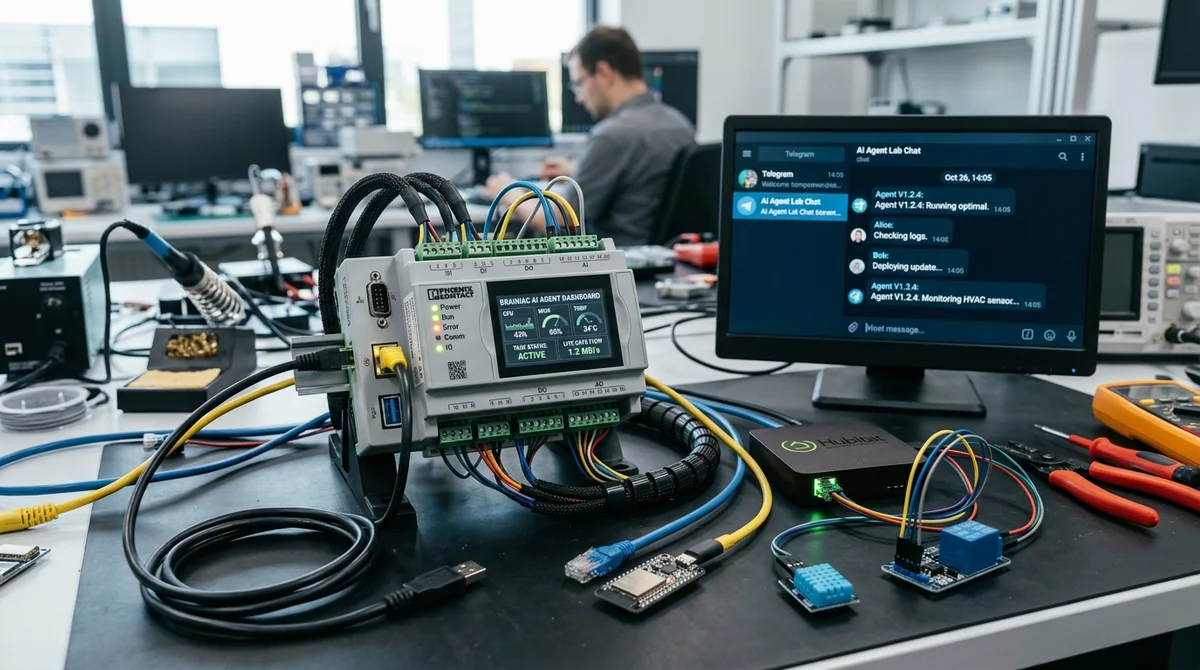
OpenClaw is typically deployed as a personal AI agent on a regular computer, but Wiren Board decided to go further and install it directly on the controller. The experiment demonstrated that the agent can not only respond in Telegram but also work with real equipment: read configs, scan Modbus, write scripts, and fix its own errors.
How it was set up
For the experiment, they took a separate Wiren Board 8 and did not install the latest OpenClaw release. The author chose version 2026.2.22: newer builds had already introduced Telegram bugs and became noticeably heavier. The basic dependencies turned out to be fairly straightforward — `git` and `Node.js`, but even in this form the system takes up considerable space: about 200 MB for dependencies on the system partition and approximately 700 MB for the application itself, mostly due to `node_modules`. Everything was installed in the home directory `root` on the large `/mnt/data/root` partition.
- Installed `git` and `nodejs`
- Prepared a separate folder for OpenClaw
- Disabled the unnecessary dependency `node-llama-cpp` through `package.json`
- Installed `[email protected]` and connected the CLI via `npm link`
- Launched `gateway`, `doctor`, checked models and logs
Next came the less pleasant part — configuration. The JSON file format changed between versions, so the automatic `onboard` and `configure` commands did not always assemble correct configuration for custom model providers. A strange issue with keys also surfaced: for standard providers they were taken from `auth-profiles.json`, but for custom ones were unexpectedly read from `models.json`. The author directly calls this a bug and duplicates keys in both places. Additionally, they installed `wireguard-tools` on the controller to bypass regional restrictions for some LLM providers.
Introducing the agent to the hardware
After basic configuration, OpenClaw was connected to Telegram. By default, the bot cannot run utilities, modify the system, or do other potentially dangerous things, so extended permissions had to be enabled manually and allowed only for a specific Telegram user. Then a separate set of `wb-openclaw-skills` was uploaded to the controller, containing knowledge about Wiren Board hardware, protocols, registers, and typical utilities. The agent received its first instruction in the most direct form: when working with equipment, always first search for and use the appropriate `wb-*` Skill.
Testing showed that this context really works. The agent confidently talked about the WB-MAP counter line, then scanned the RS-485 bus and found connected devices. Its brief response sounded like this:
"Right now I actually see 3 physical Modbus devices"
Behind this lay real actions on the controller: the bot identified a WB-MSW v4 sensor, a WB-MR6C relay module, and a WB-MAP6S electricity meter. After that, it checked the meter's firmware, confirmed that version 2.12.0 is current, and then collected live readings for voltage, power, temperature, humidity, and CO₂.
Where the experiment became useful
The most revealing test started with a practical task: write a `wb-rules` script that sends a notification to Telegram when one of the MR6C module inputs is triggered. The bot created the rule file, loaded it, and even reported that everything was ready. But in reality, messages did not arrive.
Then the agent went through a normal debugging cycle: found an unreliable `curl` call, fixed authorization, added diagnostics to the log, restarted `wb-rules`, and sent a test message. The test went through, but events from real inputs remained silent — and this also had to be investigated. The second issue turned out to be more subtle: some signals came not through regular `Input N`, but through pulse counter `Input N counter`.
The agent added a second processing loop and after that notifications really started pouring into Telegram.
The author did not stop there and gave OpenClaw an even more ambitious task — design a smart home web interface for the already connected equipment. The bot suggested what could be automated, broke down the interface into screens, and ultimately helped assemble an HTML+JavaScript page working through MQTT over WebSocket. It was placed in `/var/www/static/`, a route was added to `nginx`, and opened on the local network as a separate control panel.
What this means
The experiment showed that OpenClaw on Wiren Board is no longer a chatbot for demonstrations, but a prototype of a local operator that can read documentation, interact with the system, and work with physical devices. The benefit here is obvious: instead of manual work with configs, registers, and utilities, you can set tasks in plain language. But the cost of an error is also much higher, because the agent gains access not to an abstract server, but to real engineering infrastructure. The author considers OpenClaw a convenient starting platform, though too heavy for this scenario.
Need AI working inside your business — not just in your newsfeed?
I build production AI for companies — custom CRM, internal tools, autonomous agents, workflow automation. Owned by you, shaped to your process, no per-seat tax. Built by Zhemal Khamidun, CPO of AlpinaGPT (AI platform, 6,000+ users).
The AI world, distilled — once a week
Seven stories that actually mattered, hand-picked. No noise, no reposts, no press releases.
Done! Check your inbox for a confirmation.