OpenClaw on a Xiaomi 11T: turning an old smartphone into a home AI server
Instead of leaving an old Xiaomi 11T in a drawer, you can turn it into a home AI server. One enthusiast set up OpenClaw through Termux, hooked it up to free OpenRouter models, and exposed the assistant in Telegram. The guide covers four installation methods, how to fight Android's aggressive power management, the limits of free models, and the security measures this kind of setup requires.
AI-processed from Habr AI; edited by Hamidun News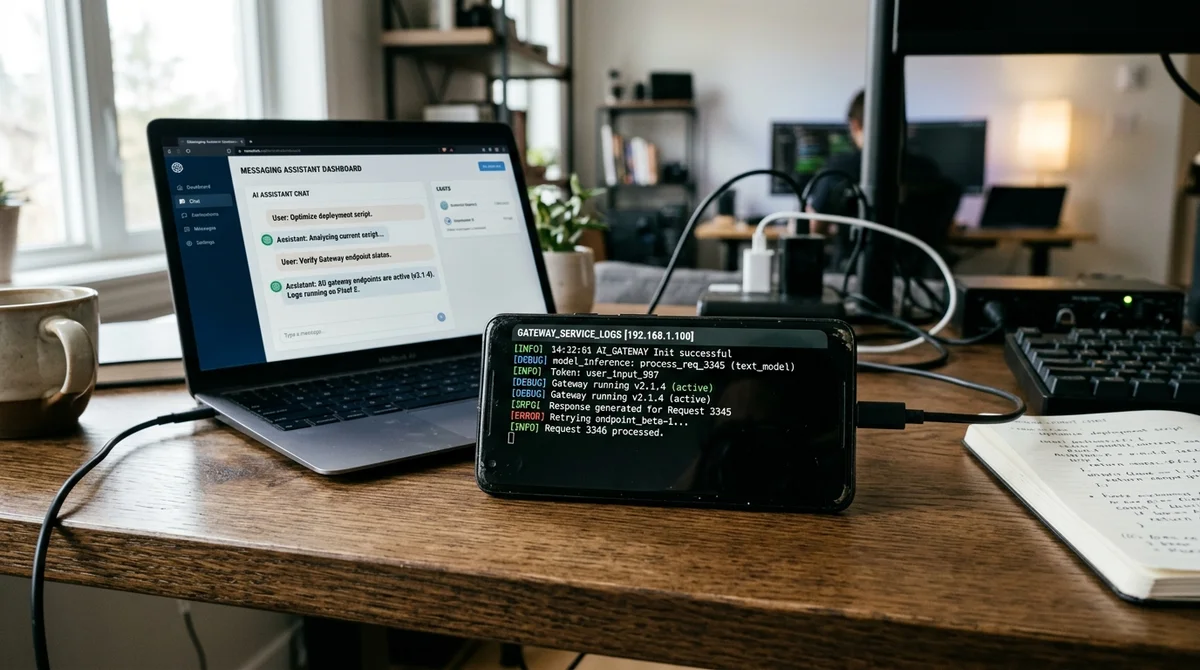
An old Android smartphone can do more than serve as a backup phone: it can run as a working AI gateway for a personal assistant. Using a Xiaomi 11T with 8 GB of RAM and a Dimensity 1200 chip, the author of the experiment deployed OpenClaw through Termux, connected free OpenRouter models, and ended up with a Telegram bot that responds with a delay of roughly 5–10 seconds. The point isn't to run a large model locally on the phone. Instead, the device acts as an always-on node for an open-source assistant.
The guide describes four installation scenarios. The baseline and most reliable option is Termux with Ubuntu via proot, with Node.js and OpenClaw itself installed inside. This route needs about 3.7–4 GB of free space but offers the best compatibility. There is also a lighter build without a full Ubuntu image, where OpenClaw runs directly in Termux through a separate community installer. The third path is a Flutter app with a graphical interface that automates the deployment. The fourth is AnyClaw, a self-contained APK that bundles OpenClaw components and a terminal agent, but it is tied to the OpenAI ecosystem. In practice, users choose between maximum control, minimal footprint, and a more convenient install.
A separate section of the guide explains why this setup makes sense at all. OpenClaw works as a gateway for an assistant that lives in familiar channels, from Telegram and WhatsApp to Slack, Discord, and other messengers. You don't need a new computer or a VPS to get started: Android 10+, at least 2 GB of RAM, stable Wi-Fi, and an API key from a model provider are enough.
For a free option, the guide suggests OpenRouter with its free-model router and limits of around 20 requests per minute and about 200 requests per day. That's sufficient for home use, and costs can stay at zero as long as you stay within the free tier. With heavy use, however, the bill quickly stops being trivial, so the author specifically recommends setting spending limits with the provider.
The most frustrating part of the project isn't the installation but the fight with Android. On Xiaomi and other devices with aggressive optimization, the system can silently kill the gateway after the screen locks or after a few minutes in the background. That's why the instructions dedicate a separate section to termux-wake-lock, disabling battery optimization, allowing autostart, and pinning Termux in the recent apps list. Some configurations also need the Bionic Bypass workaround patch if OpenClaw crashes due to errors when detecting network interfaces. The key takeaway: an old smartphone works as a server, but not seamlessly. It requires manual tuning and periodic checks after system updates.
The security section matters just as much. OpenClaw stores tokens, provider settings, and channel credentials in a local directory, so the guide recommends treating it like a password vault: restrict access permissions, don't sync it to the cloud, and don't publish its contents. It also flags the risks of third-party skills and a critical vulnerability in WebSocket access to the gateway, which means even loopback mode can't be considered absolute protection without the latest updates. The practical advice is simple: use separate accounts for keys and bots, don't install unvetted extensions, and don't turn a pet project like this into unsupervised production.
The main lesson here isn't that an old Xiaomi will replace a server or a local LLM machine. What matters more is that even an aging smartphone remains a capable, always-available platform for small-scale AI infrastructure. If you want a personal assistant in a messenger, want to experiment with open-source tools, and don't want to spend money on dedicated hardware, this setup looks entirely viable. But it only works for users willing to trade convenience for control, and a zero price tag for careful configuration and security discipline.
*Meta is designated an extremist organization and banned in the Russian Federation.
- Nov 1, 2026Local models lose to Opus and Codex: 0.21 on a MacBook versus 1.00 for Codex
- Nov 1, 2026Kimi scores 96.2% on a 1C database analytics test and emerges as a fallback if Claude access is blocked
- Nov 1, 2026OpenAI Rewrites GPT Behavior Rules: Five Values and a Chain of Command
- Nov 1, 2026Google admits AI Mode cuts search revenue, shares fall 15%
Build & Ship Production AI Agents Without Boilerplate Code
Start your free 72-hour trial at Hamidun Academy (academy.hamidun.com) — interactive lessons on Claude Code & Cursor, live Tech Radar, and production agent templates.
The AI world, distilled — once a week
Seven stories that actually mattered, hand-picked. No noise, no reposts, no press releases.
Done! Check your inbox for a confirmation.