YouTube Shorts Remix: Google Lets Users Rework Videos with Gemini AI
Google has added a Remix feature to YouTube Shorts that lets users rework any video with the Gemini Omni AI. Users can change the visual style (pixel art, anime, horror film), add background actors, change characters' clothing and insert themselves into other people's clips. Creators can turn the option off and protect their content from unauthorized reworking.
AI-processed from The Verge; edited by Hamidun News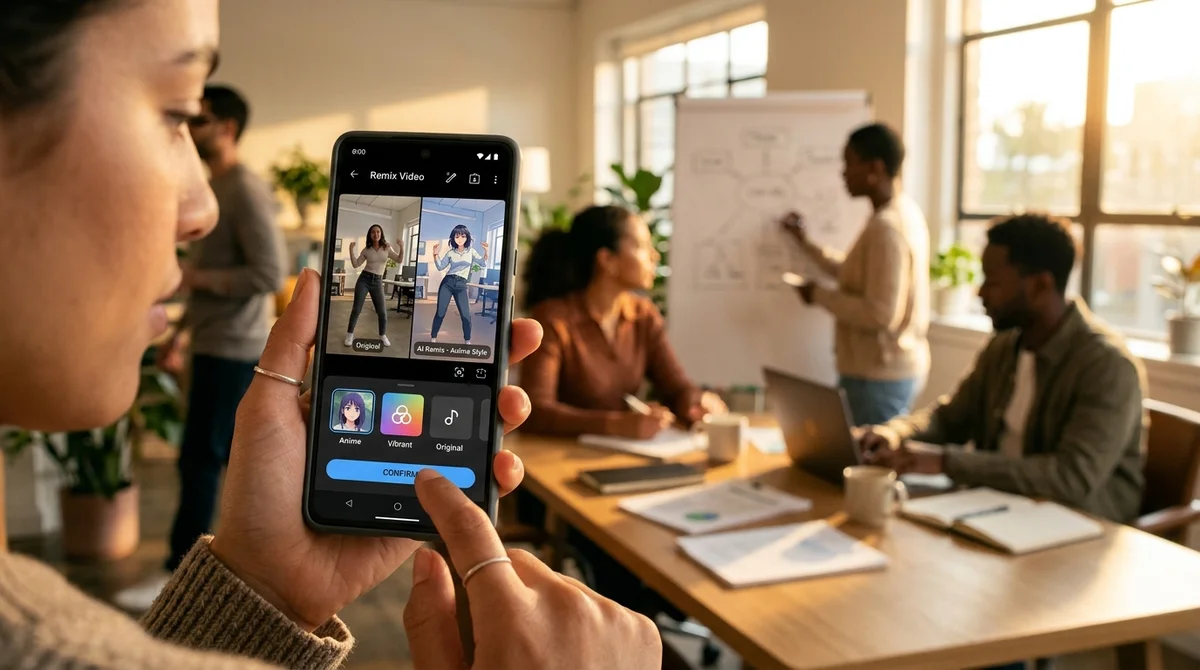
Google has launched a new feature, YouTube Shorts Remix, that lets users completely rework other people's videos with Gemini Omni. Every Short can now be not just watched but also transformed to your taste: change the style, add elements and even insert yourself into someone else's content.
How Remix works
The feature is activated through a remix icon that has appeared at the bottom of every YouTube Short. When you tap the button, you see a "reimagine" option. There you can enter a prompt for Gemini Omni, and the neural network processes the video according to your instructions. Processing happens on Google's servers using the Gemini video model, which understands the content of the video and can apply visual transformations.
What you can rework
The capabilities of Shorts Remix are fairly ambitious:
- Change the visual style: turn a video into pixel art, anime or found-footage horror
- Add background actors to a scene to create a crowd effect or fill empty space
- Change characters' clothing and appearance, for example dressing them in pirate costumes
- Modify individual elements (enlarge parts of the face, change characters' proportions)
- Insert yourself into someone else's clip, as if you had been there on the shoot
All of this happens without exporting and without third-party tools, right inside YouTube. The result is automatically saved in your account as a separate version of the video.
Controls for creators
Google recognizes that this kind of power over other people's content can be contentious. That is why YouTube Shorts creators get a control option. You can enable or disable Remix separately for each of your videos. If you don't want people to rework your content, simply turn the feature off when uploading or later in the video's privacy settings.
What this means
YouTube Shorts is shifting from a platform for consuming content to a tool for creating it. Where you could previously only watch other people's videos, you can now rework them as you see fit. This democratizes content creation: no video-editing skills, professional software or expensive equipment are needed. Describing what you want to see is enough.
But it also creates new risks, from copyright infringement to the spread of deliberately fake content. AI-reworked Shorts can easily pass for the original if they are not labeled. The company will monitor how people use the feature and will probably introduce additional restrictions.
- Nov 1, 2026Google's StreamVibe video agent beats other models by 10.7% on response timing and quality
- Nov 1, 2026OpenAI Rewrites GPT Behavior Rules: Five Values and a Chain of Command
- Nov 1, 2026Voice bots built on LLMs turn to Jev, a fast classifier, for decisions in 200–500 ms
- Nov 1, 2026Google admits AI Mode cuts search revenue, shares fall 15%
Key Questions Answered
How Remix works?
The feature is activated through a remix icon that has appeared at the bottom of every YouTube Short. When you tap the button, you see a "reimagine" option. There you can enter a prompt for Gemini Omni, and the neural network processes the video according to your instructions. Processing happens on Google's servers using the Gemini video model, which understands the content of the video and can apply visual transformations.
What you can rework?
The capabilities of Shorts Remix are fairly ambitious: Change the visual style: turn a video into pixel art, anime or found-footage horror Add background actors to a scene to create a crowd effect or fill empty space Change characters' clothing and appearance, for example dressing them in pirate costumes Modify individual elements (enlarge parts of the face, change characters' proportions) Insert yourself into someone else's clip, as if you had been there on the shoot All of this happens without exporting and without third-party tools, right inside YouTube. The result is au
What are the key details on Controls for creators?
Google recognizes that this kind of power over other people's content can be contentious. That is why YouTube Shorts creators get a control option. You can enable or disable Remix separately for each of your videos. If you don't want people to rework your content, simply turn the feature off when uploading or later in the video's privacy settings.
Test Frontier LLMs & Autonomous Agents in One Workspace
Run Claude Opus 5.5, GPT-6, Gemini 3.1, and DeepSeek side-by-side in Nomad AI (nomadnet.ai) — unified model routing, deep research, and multimodal workflows under one subscription.
The AI world, distilled — once a week
Seven stories that actually mattered, hand-picked. No noise, no reposts, no press releases.
Done! Check your inbox for a confirmation.