Vibe coding on Android: create apps right on your phone
Google is bringing AI into Android for app creation. The vibe coding concept lets any user build their own app directly on a smartphone without knowing code. Just describe the idea, and AI will develop the app in a few minutes.
AI-processed from The Verge; edited by Hamidun News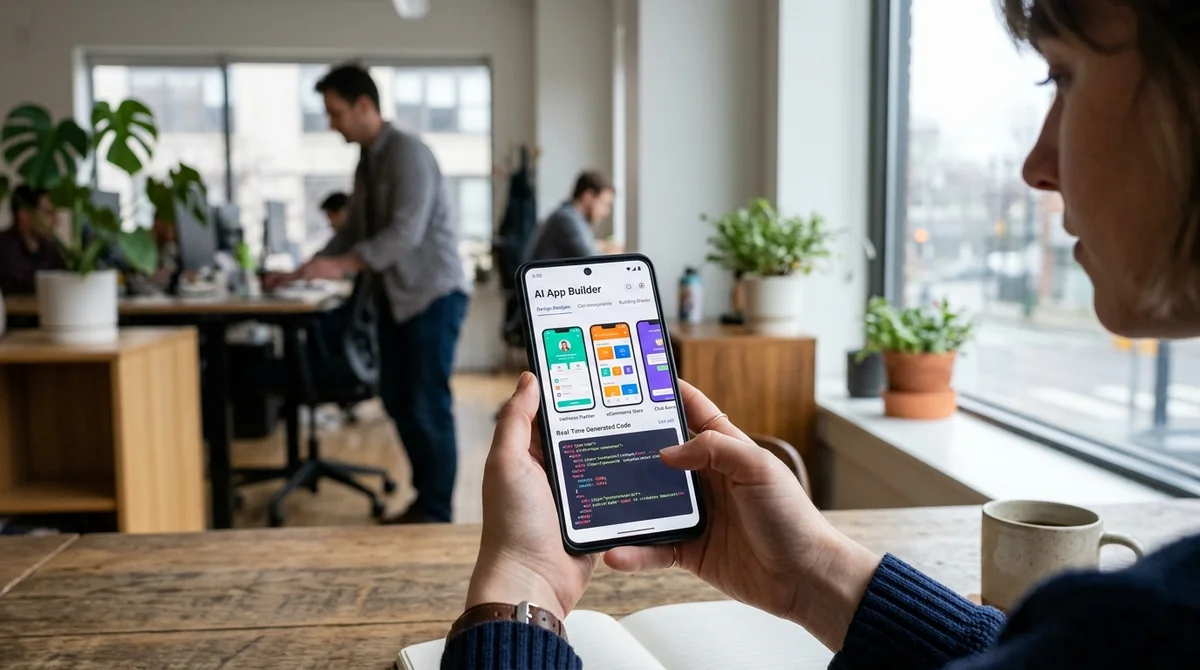
Google introduced built-in app creation directly in Android through AI. Now every user can create their own app without programming knowledge — simply by describing their idea in natural language.
What is vibe-coding
Vibe-coding is a development method in which you don't write code, but instead describe what you want. An AI assistant interprets your idea and creates a fully functional application. The concept became mainstream in early 2026, when AI tools evolved to the point where they could replace part of a professional developer's work. The name reflects the philosophy: you convey your idea, your "vibe," and the system understands what you need. This is fundamentally different from traditional programming, where you need to know syntax, architecture, and design patterns. Here, a descriptive explanation is sufficient.
Google understood the potential of this trend and built vibe-coding directly into Android. You no longer need a computer or IDE to create an app — just a smartphone and an idea.
How it works in Play Studio
The updated Play Studio now includes an AI assistant that analyzes your description and creates an app layout. The process is maximally simplified: you enter a text description of the functionality or speak it aloud, and the system offers several interface options.
You can:
- Describe your app idea in a text field or by voice
- Choose a design from suggested templates or ask AI to create your own style
- Add integrations with Google Maps, Firebase, and payment systems
- Test the app directly on your phone in real time
- Edit the result if something doesn't suit you
- Publish the finished app to Play Store in just a few taps
All development happens on your smartphone. AI processes your request in just a few minutes and provides a result ready for testing.
For whom is this a real tool
Google emphasizes that this is not a replacement for professional developers, but a tool for rapid prototyping and simple projects. The feature targets several groups:
- Entrepreneurs who want to quickly test an idea without hiring developers
- Small businesses that need a simple app for scheduling, catalogs, or booking
- Students and hobby developers who previously couldn't start programming
- Creative people with business ideas but without technical skills
From examples in Google's documentation: a photographer created an app for their portfolio, a café owner made an ordering app, a teacher launched a homework platform.
"Vibe-coding democratizes development.
Now an idea is enough — you don't need a PhD in Computer Science"
What this means
The barrier to entry for mobile development is crumbling. If before creating an app required months of learning or hiring an expensive developer, now it takes hours. For the ecosystem, this means more small applications, more experiments, more innovation from people who couldn't afford it before.
- Oct 28, 2026Gemma 26B fine-tuned on a 24 GB MacBook: offline assistant gets 703 of 766 right
- Oct 28, 2026Codex on GPT-6.1 Sol trims its window to 828 400 but still accepted an 888-thousand-token input
- Oct 28, 2026OpenAI releases GPT-6.1 Terra: half the price and nearly on par with its senior models
- Oct 28, 20262026 Open-Source Models Claim 1M Context but Read It Selectively
Key Questions Answered
What is vibe-coding?
Vibe-coding is a development method in which you don't write code, but instead describe what you want. An AI assistant interprets your idea and creates a fully functional application. The concept became mainstream in early 2026, when AI tools evolved to the point where they could replace part of a professional developer's work. The name reflects the philosophy: you convey your idea, your "vibe," and the system understands what you need. This is fundamentally different from traditional programming, where you need to know syntax, architecture, and design patterns. Here, a des
How it works in Play Studio?
The updated Play Studio now includes an AI assistant that analyzes your description and creates an app layout. The process is maximally simplified: you enter a text description of the functionality or speak it aloud, and the system offers several interface options. You can: Describe your app idea in a text field or by voice Choose a design from suggested templates or ask AI to create your own style Add integrations with Google Maps, Firebase, and payment systems Test the app directly on your phone in real time Edit the result if something doesn't suit you Publish the finish
What are the key details on For whom is this a real tool?
Google emphasizes that this is not a replacement for professional developers, but a tool for rapid prototyping and simple projects. The feature targets several groups: Entrepreneurs who want to quickly test an idea without hiring developers Small businesses that need a simple app for scheduling, catalogs, or booking Students and hobby developers who previously couldn't start programming Creative people with business ideas but without technical skills From examples in Google's documentation: a photographer created an app for their portfolio, a café owner made an ordering app
Build & Ship Production AI Agents Without Boilerplate Code
Start your free 72-hour trial at Hamidun Academy (academy.hamidun.com) — interactive lessons on Claude Code & Cursor, live Tech Radar, and production agent templates.
The AI world, distilled — once a week
Seven stories that actually mattered, hand-picked. No noise, no reposts, no press releases.
Done! Check your inbox for a confirmation.