How Sber Taught Its Smart Speakers to Generate Smart Home Scenarios by Voice
Sber speakers can now create smart home scenarios from voice commands. Say "turn off the lights when I leave" and the AI generates the automation. The main difficulty was personalization: every home has different devices and different names for them. The solution is in-context learning for GigaChat, with no retraining of the model.
AI-processed from Habr AI; edited by Hamidun News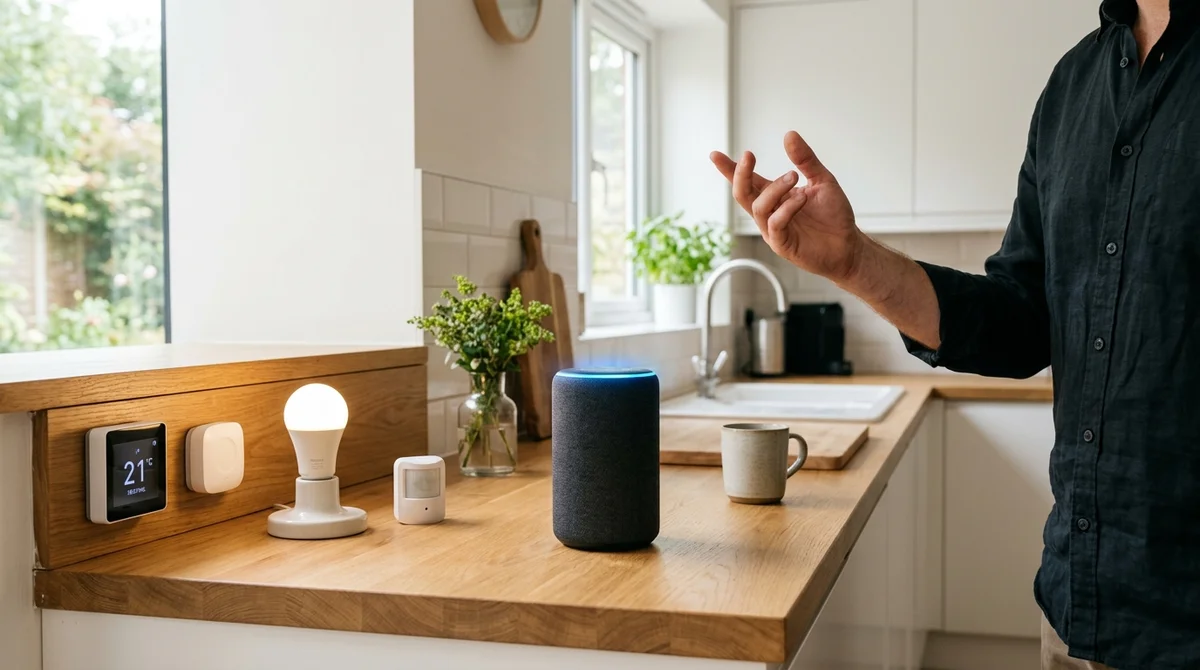
Sber has taught GigaChat in its smart speakers to create automation scenarios directly from voice commands. Users can now say, "Create a scenario so the lights and heating switch off when I leave the house," and the speaker generates the automation on its own, without a single touch of the screen.
Voice instead of navigation
Until recently, creating a scenario meant opening the app, finding the right devices in a list, linking them with conditions, and saving the rules by hand. The process was tedious: tapping through the screen three times and hunting for filters put off ordinary users. Now a single phrase is enough.
GigaChat analyzes the user's intent, determines which devices are involved, and generates the scenario in seconds. In essence, this resembles commands like "OK Google, create a routine," but Sber took its own approach and did not choose the classic path of fine-tuning on thousands of examples. Instead, the engineers chose in-context learning: information about the user's specific devices is passed directly into GigaChat's context before generation. The model sees the real topology of the home and works with it without prior retraining. This saves on data labeling and speeds up adaptation to new devices: if a user buys a new lamp, they do not have to wait for a model update.
Personalization is the main problem
The main challenge in smart home control is absolute personalization. One user has 30 devices, another has three. Someone calls a light a "lamp," another says "bedroom light," a third says "sun above the bed." Sensors, switches, custom scripts: all of it can be named in completely different ways.
Ordinary LLMs often stumble on this variability: they cycle through devices on blind guesses, mix up rooms, and misread intent. But an error is unacceptable here; this is not a music recommendation gag. If a scenario fires incorrectly, the user may freeze at night because the heating does not turn on. Or the air conditioner may run during the day in an empty apartment, consuming electricity.
Sber's engineers decided not to retrain the model for each user (which is infeasible) but to give it a full "reference book" in the request context. Before calling GigaChat, the backend assembles a description of all of that user's devices: what functions they have, which room they are in, and what names identify them. GigaChat sees this information and can use it safely.
How it works
The pipeline works roughly like this:
- The user says to the speaker: "Create a good night scenario"
- The speaker recognizes the speech and sends the text to the backend
- The backend requests the user's entire device catalog with function descriptions
- The catalog and the request are passed to GigaChat, which generates a YAML description of the scenario
- The scenario engine validates the result, checking that all devices actually exist
- If the check passes, the scenario is saved and becomes active
Validation at the scenario engine level is a safety net. If GigaChat makes a small mistake (for example, mentions a sensor that does not exist or gets the command syntax wrong), the engine catches it and either fixes it or asks the user to clarify. Sber called this component the scenario engine; it works as an error check for every generated rule.
What this means
The smart home becomes more accessible to ordinary people. If the speaker creates scenarios correctly by voice, a newcomer does not need to memorize an interface or read 50 pages of instructions. Just say what you want, and the system does it.
This is an important step toward moving smart homes out of the enthusiast niche and into a mass market, where people value simplicity above all.
- Nov 1, 202616 models tested on 7 search tools: Exa averaged 10.5 out of 14, SearXNG about 3
- Nov 1, 2026Google's StreamVibe video agent beats other models by 10.7% on response timing and quality
- Nov 1, 2026OpenAI Rewrites GPT Behavior Rules: Five Values and a Chain of Command
- Nov 1, 2026Voice bots built on LLMs turn to Jev, a fast classifier, for decisions in 200–500 ms
Key Questions Answered
What are the key details on Voice instead of navigation?
Until recently, creating a scenario meant opening the app, finding the right devices in a list, linking them with conditions, and saving the rules by hand. The process was tedious: tapping through the screen three times and hunting for filters put off ordinary users. Now a single phrase is enough. GigaChat analyzes the user's intent, determines which devices are involved, and generates the scenario in seconds. In essence, this resembles commands like "OK Google, create a routine," but Sber took its own approach and did not choose the classic path of fine-tuning on thousands
What are the key details on Personalization is the main problem?
The main challenge in smart home control is absolute personalization. One user has 30 devices, another has three. Someone calls a light a "lamp," another says "bedroom light," a third says "sun above the bed." Sensors, switches, custom scripts: all of it can be named in completely different ways. Ordinary LLMs often stumble on this variability: they cycle through devices on blind guesses, mix up rooms, and misread intent. But an error is unacceptable here; this is not a music recommendation gag. If a scenario fires incorrectly, the user may freeze at night because the heati
How it works?
The pipeline works roughly like this: The user says to the speaker: "Create a good night scenario" The speaker recognizes the speech and sends the text to the backend The backend requests the user's entire device catalog with function descriptions The catalog and the request are passed to GigaChat, which generates a YAML description of the scenario The scenario engine validates the result, checking that all devices actually exist If the check passes, the scenario is saved and becomes active Validation at the scenario engine level is a safety net. If GigaChat makes a small m
Ship AI Faster with Founders, Engineers & Weekly Architecture Reviews
Inside Vibe Club (hamidun.com/club) — weekly live masterminds with Zhemal Khamidun, Tech Radar, full LMS access, and 370+ production Claude Code skills.
The AI world, distilled — once a week
Seven stories that actually mattered, hand-picked. No noise, no reposts, no press releases.
Done! Check your inbox for a confirmation.