YOLO and Redis: How to Cache Video Detection Results
YOLO processes video, but when the network or a camera fails, everything starts over and the GPU burns cycles for nothing. Redis caching stores the detection results for every frame, so a restart picks up where it left off, saving resources and time. The article offers ready-to-use Python snippets for caching, recovery on restart and object ID tracking across frames.
AI-processed from Habr AI; edited by Hamidun News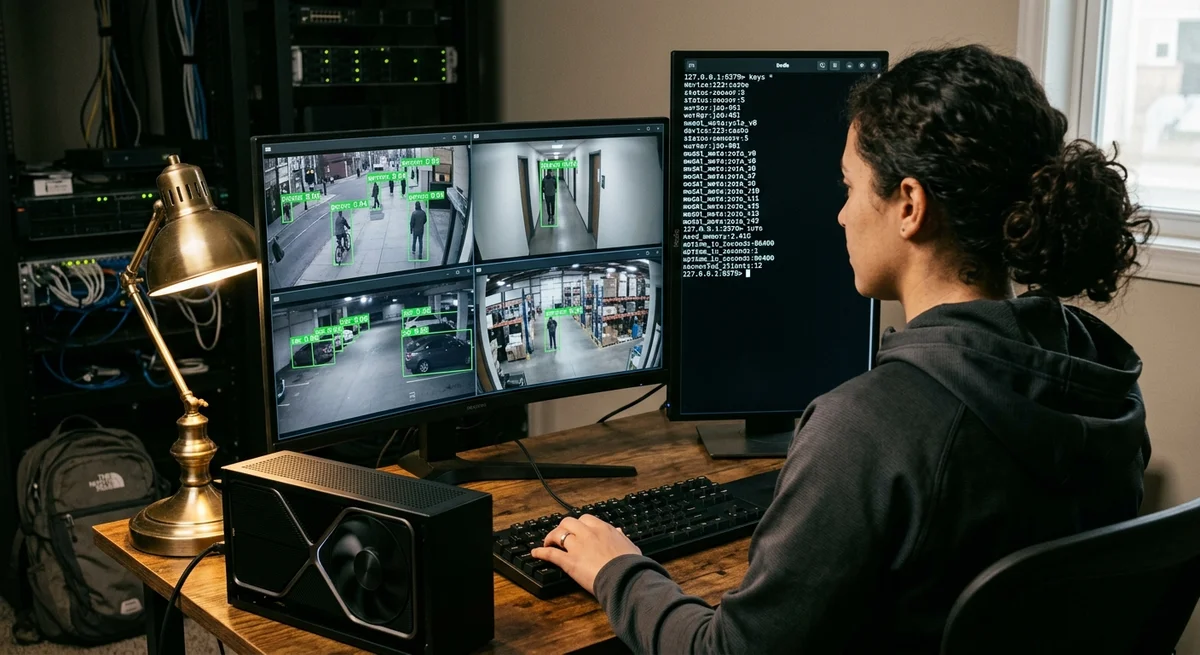
When you run YOLO on a video stream, you hit an annoying problem. You start a forty-minute video, and the model dutifully finds people, cars and dogs in every frame. At the twentieth minute the network drops, a surveillance camera fails, or the power simply goes out. You restart the system. And here's the catch: YOLO starts processing the video again, from the very beginning. All twenty minutes of inference are repeated, the GPU grinds away for nothing, and time and electricity are wasted.
Why this hurts
Every YOLO pass over a video frame takes compute. On a GPU that is expensive: literally, in energy consumed, and figuratively, in stalled processing and a slipping schedule. Without caching, the system does not remember what it has already computed. It is like recalculating from zero: if processing had reached frame 1200 and the server then crashed, on restart you begin at frame 0 and find the same people and cars in the first 1200 frames all over again. You also lose tracking information, the object IDs for that stretch of video. If you need to follow a specific person through the whole video, the lost data means a broken trajectory and IDs getting mixed up between objects.
Scale makes it worse: with round-the-clock surveillance, where 100+ hours of footage are processed per day, losing progress multiplies the cost.
Caching in Redis
Redis is an in-memory store that works fast (millisecond latency). The idea is to remember the detection results for each frame and recover on restart. The system caches:
- Detection results for each frame (a list of objects, their coordinates, their class)
- Track IDs for each object across frames (the link between the same object in neighboring frames)
- Processing timestamps (when each frame was processed)
- Processing status (which frame was the last one completed)
On restart, the system checks Redis, finds the last processed frame and continues from that point. The GPU does not spend time re-running inference on old frames, only on new ones.
In practice
The article offers ready-made Python snippets you can copy and use right away. The code handles three tasks:
- Caching the YOLO result in Redis under a key of the form
video:{video_id}:frame:{frame_num}, with a TTL to clear out old data - Recovery on restart: the system checks Redis, skips frames that are already processed and starts from the new ones
- Tracking object IDs across frames, storing the links in the cache
The author shares real-world experience: the system becomes fault-tolerant, and video is processed without losing data on object trajectories. In practice, the GPU saves 30–50% of its time on long videos by skipping repeated inference.
What this means
For production video analytics systems, this is critical. Surveillance cameras, sports analytics, autonomous systems: everywhere, YOLO + Redis saves time and money on electricity and compute. Just add Redis to the architecture, and network failures become a forgotten problem.
- Nov 25, 2026Anthropic Lets MCP Servers Teach Claude Their Skills and Run Background Tasks
- Nov 25, 2026xAI Co-Founder Puts $100M Into Epochal, a Web Archive Where AI Learns to Forecast
- Nov 25, 2026Yandex Launches Pin, a $230 Screenless Recorder Pin with Alisa AI
- Nov 25, 2026Companies Are Hiring Senior Engineers to Fix Vibe-Coded Software: Seattle Firm Has 20–30 Major Contracts
Key Questions Answered
Why this hurts?
Every YOLO pass over a video frame takes compute. On a GPU that is expensive: literally, in energy consumed, and figuratively, in stalled processing and a slipping schedule. Without caching, the system does not remember what it has already computed. It is like recalculating from zero: if processing had reached frame 1200 and the server then crashed, on restart you begin at frame 0 and find the same people and cars in the first 1200 frames all over again.
What are the key details on Caching in Redis?
Redis is an in-memory store that works fast (millisecond latency). The idea is to remember the detection results for each frame and recover on restart. The system caches: Detection results for each frame (a list of objects, their coordinates, their class) Track IDs for each object across frames (the link between the same object in neighboring frames) Processing timestamps (when each frame was processed) Processing status (which frame was the last one completed) On restart, the system checks…
What are the key details on In practice?
The article offers ready-made Python snippets you can copy and use right away. The code handles three tasks: Caching the YOLO result in Redis under a key of the form video:{video_id}:frame:{frame_num}, with a TTL to clear out old data Recovery on restart: the system checks Redis, skips frames that are already processed and starts from the new ones Tracking object IDs across frames, storing the links in the cache The author shares real-world experience: the system becomes fault-tolerant, and…
Test Frontier LLMs & Autonomous Agents in One Workspace
Run Claude Opus 5.5, GPT-6, Gemini 3.1, and DeepSeek side-by-side in Nomad AI (nomadnet.ai) — unified model routing, deep research, and multimodal workflows under one subscription.
Waitlist: free vibecoding intensive + AI digest
Leave your email to reserve a spot in the free 2-day intensive and get the AI stories that matter.