ChatGPT helped set up a YouTube stream, but first made OBS harder to work with
A developer decided to design a YouTube stream in OBS with ChatGPT, but instead of a quick solution got a long chain of manual adjustments. Only after several unnecessary steps did the model suggest using a browser source with HTML, CSS, and JavaScript. In the end, ten scene elements became a single overlay, and the author concluded that defining the task precisely saves most of the time.
AI-processed from Habr AI; edited by Hamidun News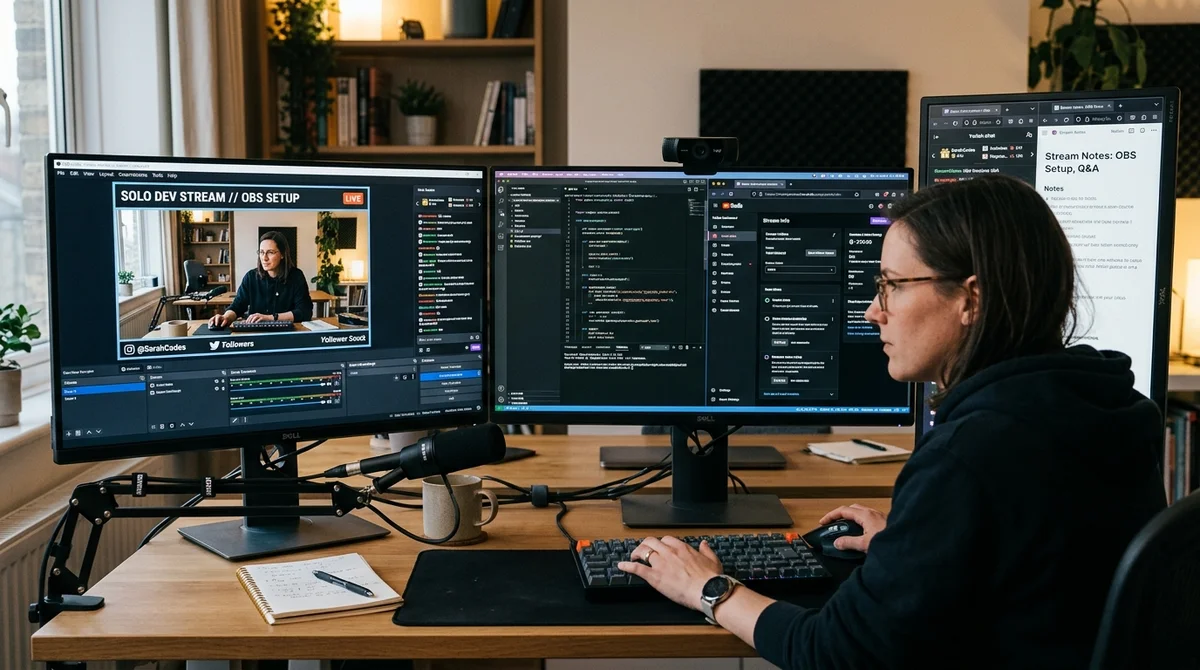
A developer decided to launch a series of YouTube streams about how he designs and "vibe codes" his pet project, and asked ChatGPT to help with OBS setup. Instead of taking a short path, the AI first led him into lengthy manual configuration, then suggested a solution that reduced the entire structure to a single browser source.
Task for OBS
The author's scenario was quite practical: three monitors, a webcam, and several scenes for streaming. The left and center screens were to show the work, while the right screen would keep OBS, Telegram, notes, and everything else that didn't need to be shown to viewers. Each scene required the same top banner: the streamer's name, indication of the active source, editable description of what's happening on air, links to necessary resources, and the date and time so the viewer understands whether they're watching a live stream or a recording.
At first, ChatGPT conducted the conversation like a typical interface assistant: suggesting to add a Live status, stream title, and other elements that look logical in an abstract template but don't work well in a real broadcast archive. After clarifications, the banner structure was finally determined, and then the model led the user down the most obvious but far from optimal path — assembling the overlay from a set of separate blocks inside OBS.
Where AI Failed
What followed was an instruction in the style of "add one more element." First a semi-transparent background, then text with a name, then a source caption, then another block, then another. When the author wanted to insert vertical dividers between elements, ChatGPT suggested embedding them in the next text blocks, but in practice this looked sloppy. It got even worse at the clock stage: the model first suggested either manually changing the time in a text file, or later using a browser source with HTML, CSS, and JavaScript.
"I didn't know if you could figure out the markup."
That's exactly when it became clear that the AI wasn't solving the task optimally, but was moving along a safe trajectory for itself. Instead of immediately suggesting a complete HTML overlay, which would be simpler to maintain and edit, ChatGPT chose a step-by-step scenario for a beginner. The problem isn't that the solution didn't work, but that it wasted time and created unnecessary complexity. For a user willing to insert a ready-made file into OBS, such caution turned out to be more of a hindrance than a help.
What Worked
As soon as the conversation switched to browser source, everything came together much faster. The author, together with ChatGPT, assembled three HTML files for different scenes, extracted styles into separate CSS, scripts into JS, and the text of the current stream topic into a separate file that could be changed on the fly. As a result, the design became unified, manageable, and noticeably simpler to maintain than a set of scattered text sources inside OBS.
- Separate HTML overlay for the left monitor, center screen, and fullscreen webcam
- Automatic pulling of the current comment from a text file without manual scene reconfiguration
- Clock with real time and date that updates automatically every second
- Scrolling line for long descriptions if the text doesn't fit within the available width
The main practical effect turned out to be very simple: approximately ten scene elements turned into one browser source. After that, the author without any problems conducted several more streams and acknowledged that the system would certainly be further refined, but it completely solved the basic task. For himself, he also formulated a more general conclusion: if the request had sounded from the beginning like "create an HTML overlay with these parameters," the time spent would be roughly two-thirds less.
What It Means
The story well illustrates a weak point of generative assistants: they often know how to write code and understand tools, but don't always choose the most rational path in an applied task. For content creators, developers, and everyone who automates OBS or other work tools, the lesson is simple: don't ask AI for step-by-step "help for a beginner," but rather the final artifact and integration scheme. This significantly increases the chance of getting a working solution on the first try.
Want to stop reading about AI and start using it?
AI News is a curated feed of AI/tech news. Hamidun Academy teaches you to use AI systematically in your work.
The AI world, distilled — once a week
Seven stories that actually mattered, hand-picked. No noise, no reposts, no press releases.
Done! Check your inbox for a confirmation.