Neural Text-to-Speech on a Raspberry Pi 4, Entirely Local
A local speech synthesizer built on Piper and FastAPI has been put together for the Repka-Pi 4. It runs without a GPU, accepts HTTP requests from external clients, queues phrases and speaks them asynchronously. The article also compares eSpeak NG and Piper: the former saves resources, while the latter produces a noticeably more natural voice even on a board with 2 GB of memory.
AI-processed from Habr AI; edited by Hamidun News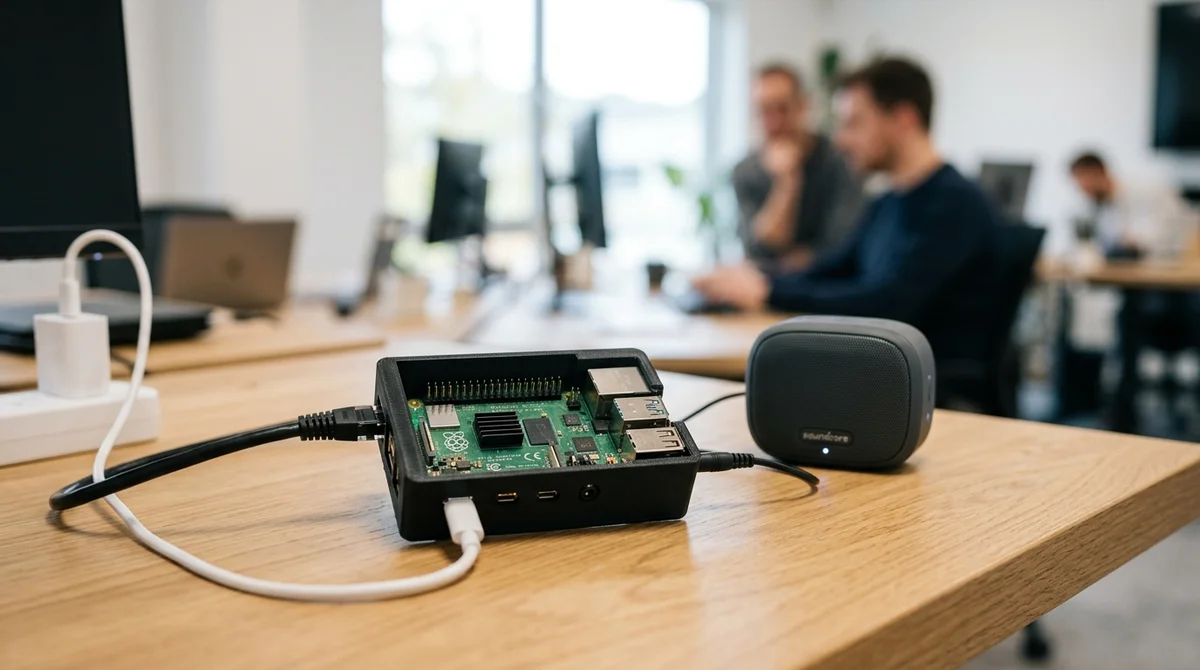
A local speech synthesis setup using the Piper neural network and FastAPI has been implemented on a Raspberry Pi 4 — fully offline, with no cloud APIs, even on 2 GB of RAM.
Can you synthesize speech locally on a
Raspberry Pi for free? Yes. The Piper neural network runs on a Raspberry Pi 4 and reads text aloud without internet, without a subscription and with Russian of acceptable quality.
Do you need a graphics card (GPU) for speech synthesis on a
single-board computer? No. On a Raspberry Pi 4 with 2 GB of RAM, speech synthesis runs without a GPU, although synthesis is slower than on powerful systems.
What is local speech synthesis?
It means voicing text directly on the device through a neural engine (Piper in this article) with no cloud services, as demonstrated on a Raspberry Pi 4.
How do you run Piper on a Raspberry Pi 4?
The article shows a working setup: a FastAPI application that serves TTS synthesis over HTTP, starts automatically at system boot and runs on 2 GB of RAM without a graphics card.
Can you voice text with a neural network without internet?
Yes. On the Repka-Pi 4 with 2 GB of RAM, local speech synthesis works with the Piper engine, which needs no cloud services or internet.
Can you voice text locally without internet?
Yes. With Piper, speech synthesis on a Raspberry Pi runs fully offline, with no cloud APIs and no network connection.
How much memory does local TTS need?
2 GB of RAM is enough — Piper speaks text even on a single-board computer without a GPU.
Key Questions Answered
Can you synthesize speech locally on a Raspberry Pi for free?
Yes. The Piper neural network runs on a Raspberry Pi 4 and reads text aloud without internet, without a subscription and with Russian of acceptable quality.
Do you need a graphics card (GPU) for speech synthesis on a single-board computer?
No. On a Raspberry Pi 4 with 2 GB of RAM, speech synthesis runs without a GPU, although synthesis is slower than on powerful systems.
What is local speech synthesis?
It means voicing text directly on the device through a neural engine (Piper in this article) with no cloud services, as demonstrated on a Raspberry Pi 4.
How do you run Piper on a Raspberry Pi 4?
The article shows a working setup: a FastAPI application that serves TTS synthesis over HTTP, starts automatically at system boot and runs on 2 GB of RAM without a graphics card.
Test Frontier LLMs & Autonomous Agents in One Workspace
Run Claude Opus 5.5, GPT-6, Gemini 3.1, and DeepSeek side-by-side in Nomad AI (nomadnet.ai) — unified model routing, deep research, and multimodal workflows under one subscription.
The AI world, distilled — once a week
Seven stories that actually mattered, hand-picked. No noise, no reposts, no press releases.
Done! Check your inbox for a confirmation.