AvatarBox, built on HeyGen, turns a photo into a talking video inside Telegram in 2 minutes
Telegram now has AvatarBox, a bot built on the HeyGen API that assembles a talking-head video from a single photo and a text in 1–3 minutes. The user uploads a portrait, picks a voice and a frame format, and receives a clip with automatic subtitles. The tool suits video business cards, presentations and content made without filming. Long clips, songs and complex facial expressions remain its weak spots for now.
AI-processed from Habr AI; edited by Hamidun News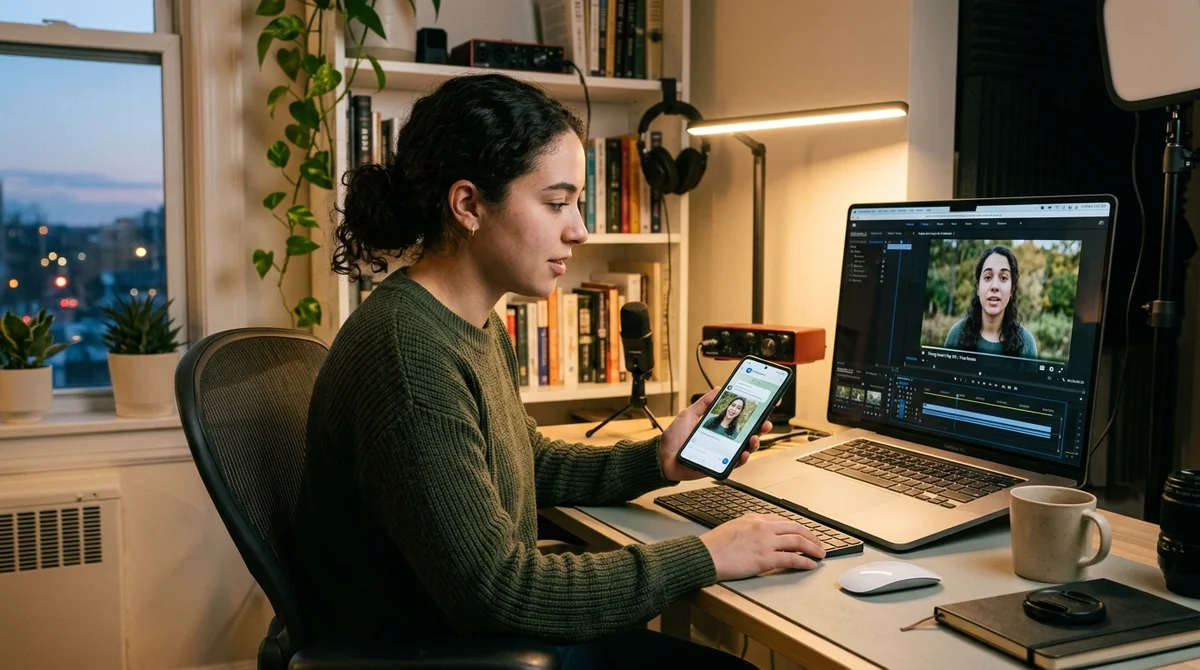
Telegram now has AvatarBox, a bot built on the HeyGen API that turns a single photo and a short text into a video with a talking avatar. The user uploads a portrait, picks a voice and a frame format, and the finished clip arrives in the chat in about 1–3 minutes.
How AvatarBox works
The service is a simple wrapper around the HeyGen API: users don't log in to a separate dashboard, build a scene in a video editor or set up editing by hand. All the logic is reduced to the familiar Telegram bot flow. First you send a close-up portrait, then paste the text the avatar should speak, and then choose a voice. The bot returns a finished talking-head video in which the face is synced to the speech and the expressions look natural enough for short formats.
The service has several practical options that make it a working tool for quick clips rather than just a demo:
- 2000+ voices in Russian, English and hundreds of other languages
- Three frame formats: 9:16, 1:1 and 16:9
- Adjustable emotions and expressiveness of speech
- Automatic subtitles in the finished clip
- The first video is free and requires no card
The most important step is preparing the source material. Photos work best when they are front-facing, with a direct gaze into the camera, a neutral background and decent lighting. Group shots, profile views, dark frames, sunglasses and blurry faces give weak results. For the text, the author recommends staying within roughly 80–150 words, which is enough for 30–60 seconds of speech. Then you pick a suitable voice, listen to the preview and start generation. The bot processes the request and returns the video without registration on third-party platforms.
Practical use cases
AvatarBox was conceived as a tool for bloggers, but in practice there turned out to be more use cases. The format works well for video business cards, when you need to quickly introduce yourself to a recruiter or client without filming on camera. The same goes for short presentations, pitches and onboarding: instead of a slide deck with a voice-over, you can build a clip in which the avatar delivers the key points and holds attention better than plain text on a screen.
"I thought the main audience was bloggers.
It turned out it wasn't."
A separate class of tasks is content without a personal presence on camera. This helps people who don't want to show their face but want to publish clips regularly for Telegram, Shorts or internal corporate channels. Another scenario is educational video, where you need to churn out similar explanations quickly without a studio or microphone.
There are lighter uses too: greetings, memes and personal clips made from photos of friends. Such formats often become the most viral, because personalization matters more than production here.
Where the limits are
The main problem with services like this is that they work well only in a narrow range of tasks. Long clips quickly give away their artificial origin: after a minute, the speech and facial expressions start to feel repetitive. Complex emotions such as vivid surprise, tears or anger still look unconvincing. Hands and gestures don't come to life either, because the animation is built around the face, not the whole body. If the source photo shows palms or an active pose, that is more likely to hurt than improve the result.
There are also technical limits on character stability. Each generation can differ slightly from the previous one, so for a series of clips it is better to use the same photo and not expect perfect consistency. Singing and musical phrases are also hard for the service: lip sync is tuned for ordinary speech, not vocals. If you need your own virtual host, the logical route is to first generate a realistic portrait in any image generator and then use that frame as the permanent base for your clips.
What this means
The barrier to entry for talking-head video keeps falling. This format used to require a camera, lighting, a microphone and time to record; now a photo, a text and a couple of minutes of waiting in Telegram are enough. For content creators, recruiting, internal training and quick presentations, it is already a working tool. But it does not yet replace live video: as soon as a script needs long speech, complex expressions or body movement, the limits become too noticeable.
- Nov 1, 2026Pika Labs releases open video model H3 Flex: 6 steps instead of 50
- Nov 1, 2026Google's StreamVibe video agent beats other models by 10.7% on response timing and quality
- Oct 31, 2026AI cartoon series: a 24-second episode built ten ways, the best cost 162 credits
- Oct 31, 2026Anthropic: Fold Subagents Back Into a Single Loop — One Customer's Tasks Ran Twice as Fast
Key Questions Answered
How AvatarBox works?
The service is a simple wrapper around the HeyGen API: users don't log in to a separate dashboard, build a scene in a video editor or set up editing by hand. All the logic is reduced to the familiar Telegram bot flow. First you send a close-up portrait, then paste the text the avatar should speak, and then choose a voice. The bot returns a finished talking-head video in which the face is synced to the speech and the expressions look natural enough for short formats. The service has several practical options that make it a working tool for quick clips rather than just a demo
What are the key details on Practical use cases?
AvatarBox was conceived as a tool for bloggers, but in practice there turned out to be more use cases. The format works well for video business cards, when you need to quickly introduce yourself to a recruiter or client without filming on camera. The same goes for short presentations, pitches and onboarding: instead of a slide deck with a voice-over, you can build a clip in which the avatar delivers the key points and holds attention better than plain text on a screen. "I thought the main audience was bloggers. It turned out it wasn't." A separate class of tasks is content
Where the limits are?
The main problem with services like this is that they work well only in a narrow range of tasks. Long clips quickly give away their artificial origin: after a minute, the speech and facial expressions start to feel repetitive. Complex emotions such as vivid surprise, tears or anger still look unconvincing. Hands and gestures don't come to life either, because the animation is built around the face, not the whole body. If the source photo shows palms or an active pose, that is more likely to hurt than improve the result. There are also technical limits on character stability
Test Frontier LLMs & Autonomous Agents in One Workspace
Run Claude Opus 5.5, GPT-6, Gemini 3.1, and DeepSeek side-by-side in Nomad AI (nomadnet.ai) — unified model routing, deep research, and multimodal workflows under one subscription.
The AI world, distilled — once a week
Seven stories that actually mattered, hand-picked. No noise, no reposts, no press releases.
Done! Check your inbox for a confirmation.