Microsoft shows how to run VibeVoice for ASR, realtime TTS and speech-to-speech
Microsoft has released a hands-on Colab guide to VibeVoice that walks through the full voice stack: speaker-aware ASR, context-aware recognition, realtime TTS and a simple speech-to-speech pipeline. The notebook covers setting up the environment from scratch, batch audio processing, voice selection, a Gradio interface, long-form generation and memory-saving tricks for long recordings. Developers can use it as-is as the starting point for their own voice prototype.
AI-processed from MarkTechPost; edited by Hamidun News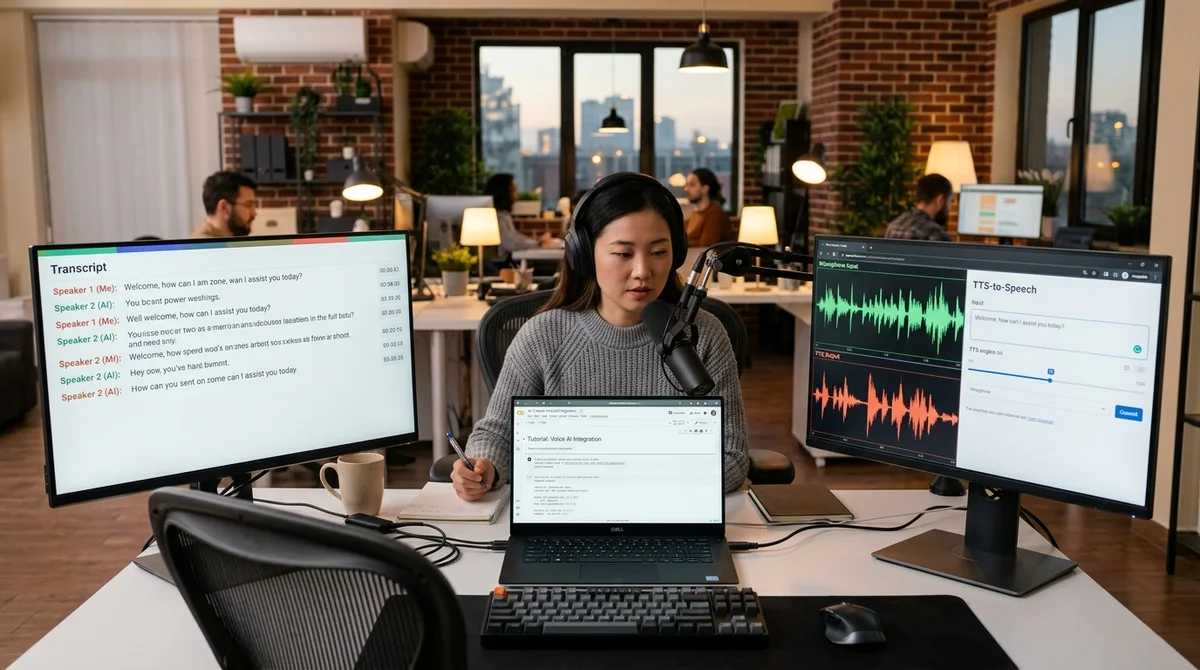
Microsoft has released a detailed hands-on guide to VibeVoice, its open stack for speech recognition and synthesis. A single Colab notebook takes developers through the full cycle, from setting up the environment and loading models to building a simple speech-to-speech pipeline.
How the guide works
The guide opens with a fully reproducible environment setup in Google Colab. The developer uninstalls the old version of Transformers, installs a fresh build from GitHub, adds torch, torchaudio and gradio, and clones the official VibeVoice repository. The notebook then checks that the required classes are actually available and pulls in ready-made audio samples. The format is strictly practical: rather than a verbal tour of features, it's a script you can repeat step by step and quickly adapt to your own project.
Next, the notebook moves on to speech recognition. The demo loads the 7-billion-parameter VibeVoice-ASR-HF, and Microsoft specifically highlights its ability to process up to 60 minutes of audio in a single pass. The tutorial shows more than a plain text transcript: the output is structured, broken down by speaker, with timestamps and the content of each utterance. For meetings, interviews, podcasts and support calls, that distinction matters: the model has to answer three questions at once — who spoke, when, and what exactly they said.
What the stack can do
The guide puts particular emphasis on context-aware recognition. The notebook runs the same recording once without a prompt and once with context, then compares the results side by side. The example shows that hotwords help the model correctly recognize product names, personal names and industry jargon. For enterprise use cases, this is more valuable than ordinary speech-to-text: a single misrecognized keyword can break search across a call archive, meeting analytics or an agent's downstream work.
After ASR, the authors turn to realtime synthesis. This part uses VibeVoice-Realtime-0.5B, a lightweight model that supports streaming text input and, according to Microsoft, can produce the first audible chunk in roughly 300 milliseconds. The example picks four voice presets, tunes the number of inference steps and the CFG scale, and then generates both a short utterance and a longer mini-podcast-style segment. In other words, the guide covers more than basic TTS: it also shows the trade-offs between speed, quality and controllability.
- speaker-aware transcription with timestamps
- context-aware ASR and hotwords
- batch processing of multiple audio files
- realtime TTS with multiple voices
- a simple ASR → response → voiceover chain
The guide doesn't stop there. A separate section assembles a basic speech-to-speech scenario: the system first transcribes an input audio file, then generates a text response and immediately synthesizes it back into speech. Alongside this, the notebook demonstrates batch processing of several files and long-form generation, in which the model voices a longer text without its intonation falling apart within the first few paragraphs. For developers, this is no longer a collection of disconnected demos but a rough draft of a real voice interface.
Hands-on in Colab
The final section is useful because it moves from a polished showcase to day-to-day operation. The notebook spins up a simple Gradio interface for interactive TTS, and below it invites you to upload your own WAV, MP3 or FLAC file and run it through ASR on your own data. The same section collects memory tips: reduce the chunk size for long audio, switch to bfloat16, cut the number of TTS steps and, if needed, clear the GPU cache. In Colab, that's not a minor detail — it's the difference between a working run and an out-of-memory crash.
Microsoft also adds a section on usage boundaries. The closing summary states plainly that the stack is published for research and development, and that AI-generated speech must be clearly labeled. It also explicitly prohibits using these tools to impersonate another person or commit fraud. That's an important detail: the company is pitching open-source voice AI not as a toy but as infrastructure that comes with baseline rules for safe use from the start.
What it means
VibeVoice is gradually moving from a research release toward approachable developer tooling. When Microsoft ships not just model weights but also a reproducible Colab workflow for ASR, realtime TTS and speech-to-speech, the barrier to building voice products drops: teams can quickly put together a prototype transcriber, voice assistant or long-form audio processing interface without spending ages manually stitching different tools together.
- Nov 1, 2026Google's StreamVibe video agent beats other models by 10.7% on response timing and quality
- Oct 30, 2026Mistral opens Large 4 weights: strong at code, but Chinese models score 32 to its 26
- Oct 30, 2026128 AI Agents With No Boss Passed 49% More Tests Than One
- Oct 29, 2026Stanford AI tool verifies part of Signal's code in half a day for under $500, versus five months of expert work
Key Questions Answered
How the guide works?
The guide opens with a fully reproducible environment setup in Google Colab. The developer uninstalls the old version of Transformers, installs a fresh build from GitHub, adds torch, torchaudio and gradio, and clones the official VibeVoice repository. The notebook then checks that the required classes are actually available and pulls in ready-made audio samples. The format is strictly practical: rather than a verbal tour of features, it's a script you can repeat step by step and quickly adapt to your own project. Next, the notebook moves on to speech recognition. The demo l
What the stack can do?
The guide puts particular emphasis on context-aware recognition. The notebook runs the same recording once without a prompt and once with context, then compares the results side by side. The example shows that hotwords help the model correctly recognize product names, personal names and industry jargon. For enterprise use cases, this is more valuable than ordinary speech-to-text: a single misrecognized keyword can break search across a call archive, meeting analytics or an agent's downstream work. After ASR, the authors turn to realtime synthesis. This part uses VibeVoice-R
What are the key details on Hands-on in Colab?
The final section is useful because it moves from a polished showcase to day-to-day operation. The notebook spins up a simple Gradio interface for interactive TTS, and below it invites you to upload your own WAV, MP3 or FLAC file and run it through ASR on your own data. The same section collects memory tips: reduce the chunk size for long audio, switch to bfloat16, cut the number of TTS steps and, if needed, clear the GPU cache. In Colab, that's not a minor detail — it's the difference between a working run and an out-of-memory crash. Microsoft also adds a section on usage
Ship AI Faster with Founders, Engineers & Weekly Architecture Reviews
Inside Vibe Club (hamidun.com/club) — weekly live masterminds with Zhemal Khamidun, Tech Radar, full LMS access, and 370+ production Claude Code skills.
The AI world, distilled — once a week
Seven stories that actually mattered, hand-picked. No noise, no reposts, no press releases.
Done! Check your inbox for a confirmation.