Google adds prompt-controlled AI avatars and YouTube export to Vids
Google has expanded Vids, its video-creation app, with AI avatars you control through prompts. Users can describe a scene in plain text, have the character interact with a product or props, and change its appearance, clothing and background. Google also added Veo 3.1, YouTube export and a Chrome extension for screen recording.
AI-processed from TechCrunch; edited by Hamidun News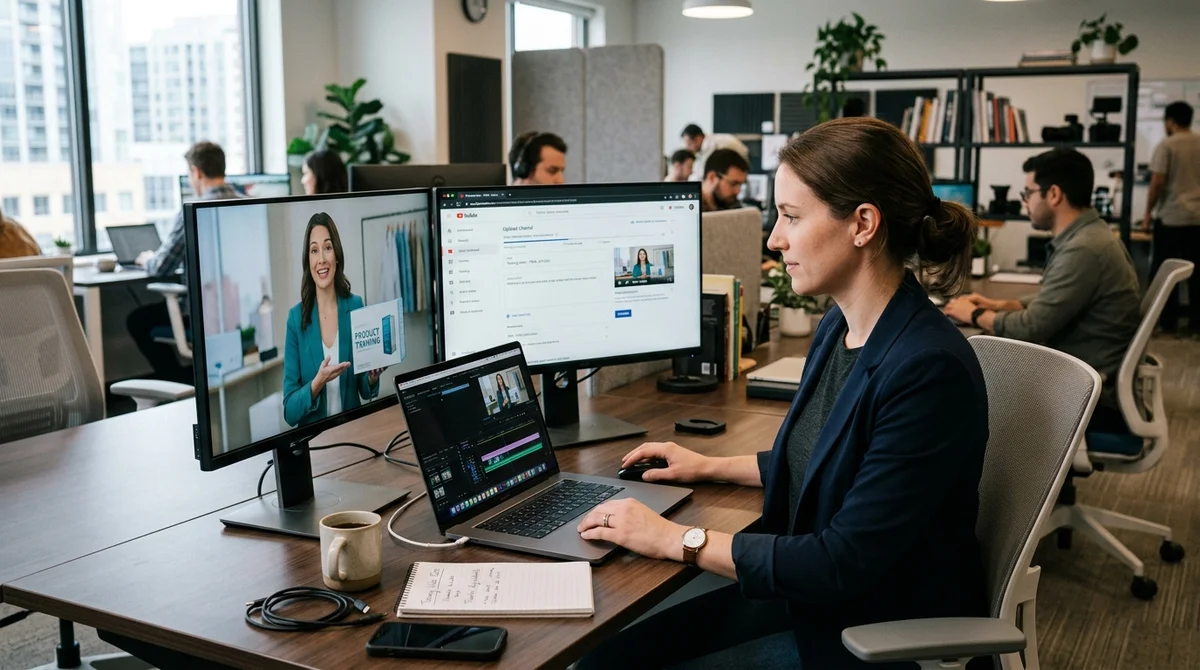
Google has expanded Vids, its AI video editor within Workspace, adding avatar control through text prompts. Users no longer just pick a digital presenter: they can describe what the avatar should do on screen, what it interacts with and how it looks.
What's new in Vids
The main update is directable avatars. Vids now lets you set up a scene in plain language in which an avatar speaks, moves and interacts with objects. Google cites practical scenarios: showing off a new product, explaining safety rules next to equipment, or recording an internal company address against an office backdrop. The company also broadened the whole workflow around these videos, so users can not only generate a character but also assemble the final video faster. The list of new features looks like this:
- control of the avatar's actions via a text prompt
- customization of the character's appearance, clothing and background
- upload of reference images for locations and objects
- generation of eight-second video clips based on Veo 3.1
- export of the finished video directly to YouTube
There is also a new Chrome extension for screen recording with audio or video. That detail matters: Google is not trying to turn Vids into just a talking-head generator, but is building a full kit for corporate video production, from screencasts and AI inserts to publishing. For teams that produce training, demos or internal updates, the kit covers several steps in a single environment, without switching between services and with faster approvals.
How it works
The new mode lets you specify not only lines but also the avatar's behavior. A user can describe an action such as "show the product in your hands," "stand next to the equipment" or "explain the steps against an office background," and Vids builds the scene with the same speaker. For customization, you can change clothing, appearance and background, and upload up to two additional images to define a location or an object more precisely. Google separately stresses that the character's face and voice should stay consistent across scene changes.
In effect, Vids is moving from templated videos toward a tool that handles typical business tasks without a film crew. The examples Google itself puts front and center show this: employee training, product demos, internal announcements and sales. At launch, the feature is available for Workspace accounts set to English, so the international rollout will probably be gradual. But the direction is clear: less manual editing, more video assembled from text, an avatar and a few source materials.
A bet on Workspace
Google first showed Vids in 2024 as a service for creating work videos inside the Workspace ecosystem. Since then, the product has been adding features in layers: first AI avatars, then 2D and 3D cartoon characters and new voice-over languages, and in March Google added the Lyria 3 and Lyria 3 Pro music models for soundtracks and sound effects. Veo 3.1 and more controllable avatars now join that stack, so Vids increasingly looks less like an editor with AI features and more like an AI-first editor.
The way Google packages access matters too. Every user gets 10 free Veo generations per month, while for Google AI Ultra and Workspace AI Ultra the limit rises to 1000 videos. The AI clips in the editor are still short, up to eight seconds, but that is often enough for presentations, instructions and inserts. Direct YouTube export also removes a step: you can send a video to the platform as private, review it and only then open access to colleagues or an audience.
Google is not the first in the AI avatar market: Synthesia, HeyGen, D-ID and other services have operated here for a long time. But Google takes a different approach: not a standalone niche product, but a built-in module inside a suite that already houses Docs, Slides, Drive and corporate collaboration workflows. If this model works, Vids could take a strong position in the segment of quick work videos for onboarding, training, sales and regular internal updates.
What it means
Google is betting not on wow-factor but on steady production of business video. Prompt-controlled avatars, Veo 3.1, screen recording and YouTube export make Vids a more complete tool for teams that need to turn out a lot of clear video content without a studio, a presenter or lengthy editing. If the product keeps its simplicity and generation quality, it could become as standard a tool for corporate video as Docs or Slides are for text and presentations.
- Nov 1, 202616 models tested on 7 search tools: Exa averaged 10.5 out of 14, SearXNG about 3
- Nov 1, 2026Google's StreamVibe video agent beats other models by 10.7% on response timing and quality
- Nov 1, 2026OpenAI Rewrites GPT Behavior Rules: Five Values and a Chain of Command
- Nov 1, 2026Voice bots built on LLMs turn to Jev, a fast classifier, for decisions in 200–500 ms
Key Questions Answered
What's new in Vids?
The main update is directable avatars. Vids now lets you set up a scene in plain language in which an avatar speaks, moves and interacts with objects. Google cites practical scenarios: showing off a new product, explaining safety rules next to equipment, or recording an internal company address against an office backdrop. The company also broadened the whole workflow around these videos, so users can not only generate a character but also assemble the final video faster. The list of new features looks like this: control of the avatar's actions via a text prompt customizatio
How it works?
The new mode lets you specify not only lines but also the avatar's behavior. A user can describe an action such as "show the product in your hands," "stand next to the equipment" or "explain the steps against an office background," and Vids builds the scene with the same speaker. For customization, you can change clothing, appearance and background, and upload up to two additional images to define a location or an object more precisely. Google separately stresses that the character's face and voice should stay consistent across scene changes. In effect, Vids is moving from
What are the key details on A bet on Workspace?
Google first showed Vids in 2024 as a service for creating work videos inside the Workspace ecosystem. Since then, the product has been adding features in layers: first AI avatars, then 2D and 3D cartoon characters and new voice-over languages, and in March Google added the Lyria 3 and Lyria 3 Pro music models for soundtracks and sound effects. Veo 3.1 and more controllable avatars now join that stack, so Vids increasingly looks less like an editor with AI features and more like an AI-first editor. The way Google packages access matters too. Every user gets 10 free Veo gene
Test Frontier LLMs & Autonomous Agents in One Workspace
Run Claude Opus 5.5, GPT-6, Gemini 3.1, and DeepSeek side-by-side in Nomad AI (nomadnet.ai) — unified model routing, deep research, and multimodal workflows under one subscription.
The AI world, distilled — once a week
Seven stories that actually mattered, hand-picked. No noise, no reposts, no press releases.
Done! Check your inbox for a confirmation.