OpenClaw runs on a Wiren Board controller: an AI agent that manages hardware and writes scripts
OpenClaw didn't run on a laptop this time — it ran directly on a Wiren Board 8 controller. The author connected Telegram, added a set of Skills for working with Modbus devices, and granted the agent elevated permissions. In testing, the bot discovered hardware on the bus, checked firmware versions, collected live telemetry, fixed a wb-rules script, and even helped build a custom local web interface for a smart apartment.
AI-processed from Habr AI; edited by Hamidun News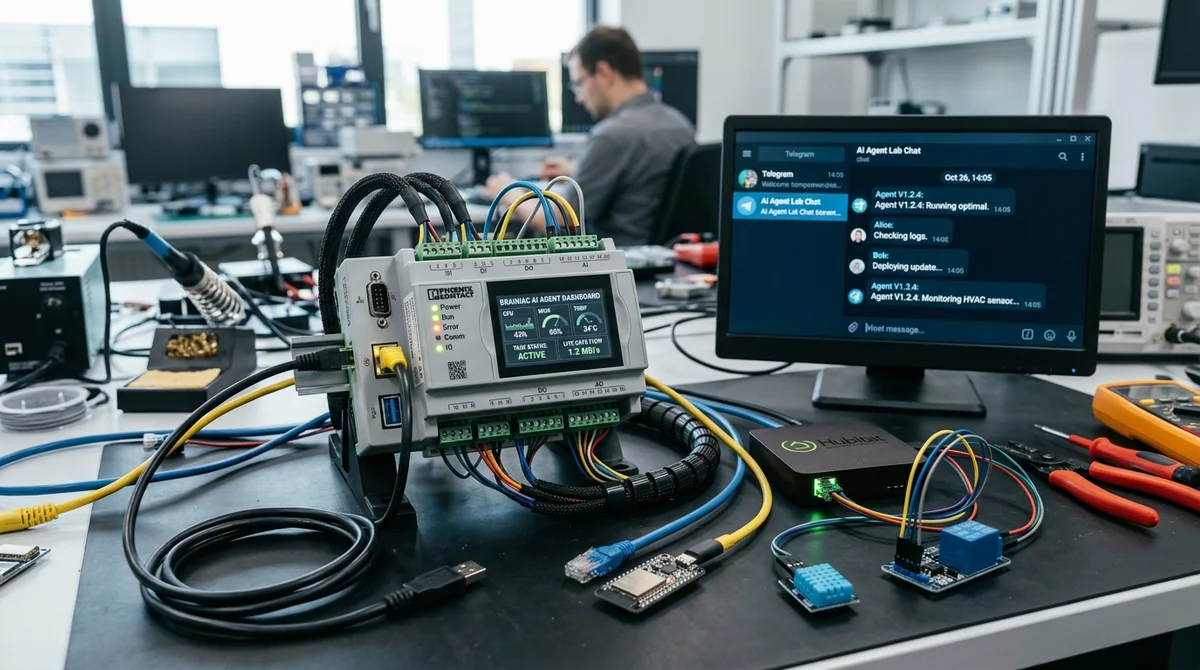
OpenClaw usually runs as a personal AI agent on an ordinary computer, but Wiren Board decided to go further and install it directly on a controller. The experiment showed that the agent can do more than reply in Telegram: it can also work with real hardware, reading configs, scanning Modbus, writing scripts, and fixing its own mistakes.
How it was deployed
The team used a dedicated Wiren Board 8 for the experiment and deliberately skipped the latest OpenClaw release. The author chose version 2026.2.22, since newer builds had already introduced Telegram bugs and become noticeably heavier. The core dependencies were fairly mundane — `git` and `Node.js` — but even so, the system takes up a fair amount of space: about 200 MB of dependencies on the system partition and roughly another 700 MB for the application itself, mostly due to `node_modules`. Everything was installed in the `root` home directory on the large `/mnt/data/root` partition.
- Installed `git` and `nodejs`
- Prepared a separate folder for OpenClaw
- Disabled the unneeded `node-llama-cpp` dependency via `package.json`
- Installed `[email protected]` and linked the CLI with `npm link`
- Ran `gateway`, `doctor`, and checks for models and logs
Then came the less pleasant part: configs. The JSON file format changed between versions, so the automated `onboard` and `configure` commands didn't always generate a valid configuration for custom model providers. There was also an odd quirk with API keys: for standard providers they were read from `auth-profiles.json`, but for custom ones they were unexpectedly read from `models.json`. The author bluntly calls this something that looks like a bug and duplicates the keys in both places. The team also installed `wireguard-tools` on the controller to get around regional restrictions imposed by some LLM providers.
Introducing the agent to the hardware
After the basic setup, OpenClaw was connected to Telegram. By default, the bot can't run utilities, modify the system, or do other potentially dangerous things, so elevated permissions had to be enabled manually and granted only to a specific Telegram user.
Next, a dedicated `wb-openclaw-skills` package was loaded onto the controller. It bundles knowledge about Wiren Board hardware, protocols, registers, and common utilities. The agent's very first instruction was as direct as possible: when working with hardware, always look for and use the appropriate `wb-*` Skill first.
Testing showed that this context actually works. The agent confidently described the WB-MAP line of meters, then scanned the RS-485 bus and found the connected devices. Its brief reply read:
"Right now I actually see 3 physical Modbus devices."
Behind that were real actions on the controller: the bot identified a WB-MSW v4 sensor, a WB-MR6C relay module, and a WB-MAP6S power meter. It then checked the meter's firmware, confirmed that version 2.12.0 was current, and collected live readings for voltage, power, temperature, humidity, and CO₂.
Where the experiment got useful
The most telling test started with a practical task: write a `wb-rules` script that sends a Telegram notification when one of the MR6C module's inputs is triggered. The bot created the rule file, loaded it, and even reported that everything was ready. In reality, though, no messages arrived.
The agent then went through a proper debugging cycle: it found an unreliable `curl` call, fixed the authorization, added diagnostic logging, restarted `wb-rules`, and sent a test message. The test went through, but events from the actual inputs still produced nothing — and that had to be tracked down too.
The second cause was subtler: some signals didn't come through the regular `Input N` channels but through the `Input N counter` pulse counters. The agent added a second handling path, and after that the notifications really did start pouring into Telegram.
The author didn't stop there and gave OpenClaw an even more ambitious task: design a smart-apartment web interface for the hardware already connected. The bot suggested what could be automated, split the interface into screens, and ultimately helped build an HTML+JavaScript page that works over MQTT over WebSocket. The page was placed in `/var/www/static/`, an `nginx` route was added, and it was opened on the local network as a standalone control panel.
What it means
The experiment showed that OpenClaw on Wiren Board is no longer a demo chatbot but an early prototype of a local operator that can read documentation, touch the system, and interact with physical devices.
The benefit is obvious: instead of working manually with configs, registers, and utilities, you can assign tasks in plain language. But the cost of a mistake is also much higher, because the agent gets access not to an abstract server but to real engineering infrastructure. The author considers OpenClaw itself a convenient starting point, though too heavy for this kind of scenario.
- Nov 1, 2026Local models lose to Opus and Codex: 0.21 on a MacBook versus 1.00 for Codex
- Nov 1, 2026Adobe's EditAgent judge picks a usable edit 81.3% of the time, versus 74.8% for EditScore
- Nov 1, 202616 models tested on 7 search tools: Exa averaged 10.5 out of 14, SearXNG about 3
- Nov 1, 2026Google's StreamVibe video agent beats other models by 10.7% on response timing and quality
Key Questions Answered
How it was deployed?
The team used a dedicated Wiren Board 8 for the experiment and deliberately skipped the latest OpenClaw release. The author chose version 2026.2.22, since newer builds had already introduced Telegram bugs and become noticeably heavier. The core dependencies were fairly mundane — `git` and `Node.js` — but even so, the system takes up a fair amount of space: about 200 MB of dependencies on the system partition and roughly another 700 MB for the application itself, mostly due to `node_modules`. Everything was installed in the `root` home directory on the large `/mnt/data/root`
What are the key details on Introducing the agent to the hardware?
After the basic setup, OpenClaw was connected to Telegram. By default, the bot can't run utilities, modify the system, or do other potentially dangerous things, so elevated permissions had to be enabled manually and granted only to a specific Telegram user. Next, a dedicated `wb-openclaw-skills` package was loaded onto the controller. It bundles knowledge about Wiren Board hardware, protocols, registers, and common utilities. The agent's very first instruction was as direct as possible: when working with hardware, always look for and use the appropriate `wb-` Skill first. T
Where the experiment got useful?
The most telling test started with a practical task: write a `wb-rules` script that sends a Telegram notification when one of the MR6C module's inputs is triggered. The bot created the rule file, loaded it, and even reported that everything was ready. In reality, though, no messages arrived. The agent then went through a proper debugging cycle: it found an unreliable `curl` call, fixed the authorization, added diagnostic logging, restarted `wb-rules`, and sent a test message. The test went through, but events from the actual inputs still produced nothing — and that had to b
Build & Ship Production AI Agents Without Boilerplate Code
Start your free 72-hour trial at Hamidun Academy (academy.hamidun.com) — interactive lessons on Claude Code & Cursor, live Tech Radar, and production agent templates.
The AI world, distilled — once a week
Seven stories that actually mattered, hand-picked. No noise, no reposts, no press releases.
Done! Check your inbox for a confirmation.