Google adds split-screen to AI Mode: websites now appear alongside chat
Google updated AI Mode in Chrome Desktop: clicking a link within the AI chat now opens the website alongside the conversation rather than in a separate tab. Users can read the source and continue talking to AI simultaneously without losing context. This small change solves a major pain point in AI search: the inability to quickly verify facts without interrupting the dialogue. The feature is currently available on desktop only.
AI-processed from TechCrunch; edited by Hamidun News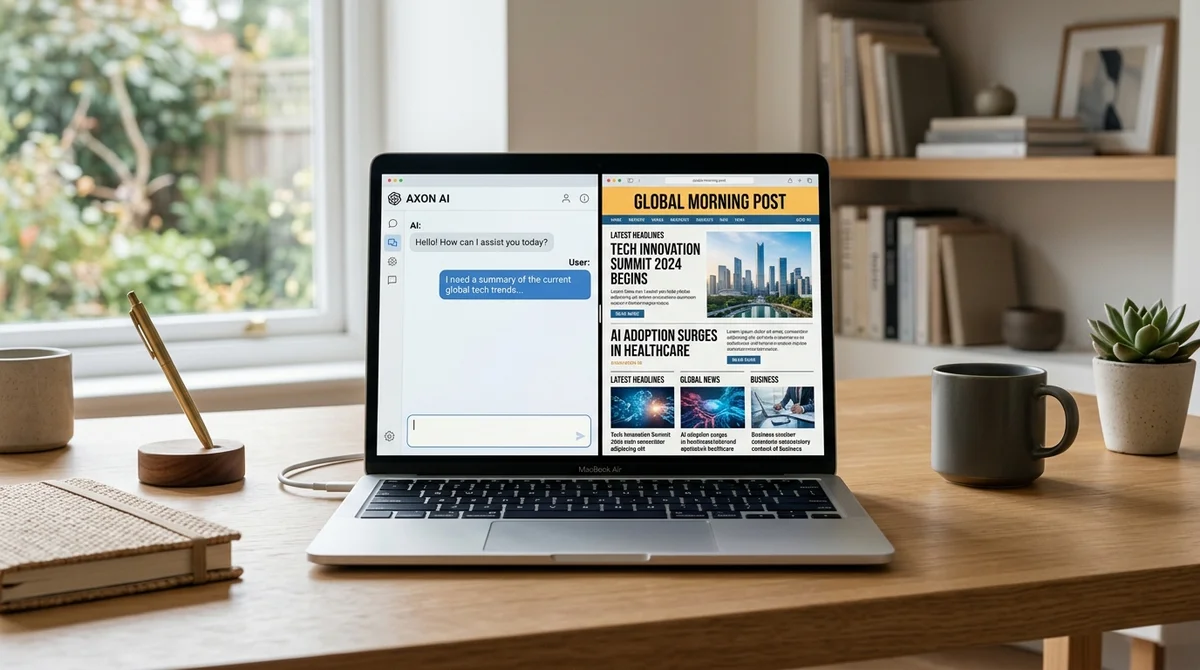
Google added a split-screen function to AI Mode for Chrome Desktop: now when you click a link inside an AI chat, the website opens right next to the dialog without interrupting it. This might seem like a minor interface detail, but it's actually a fundamental decision about how AI search should work. AI Mode is Google's next step in rethinking search.
After AI Overviews — blocks with AI summaries that the company started inserting directly into search results — AI Mode goes further: search here is built entirely as a dialog with a language model. The user asks a question, gets a synthesized answer with sources, clarifies, continues the conversation. There's no traditional list of links — there's an AI interface with references.
The feature appeared as part of a large-scale rethinking of search that the company is conducting under pressure from ChatGPT, Perplexity, and other AI competitors. The problem with classic AI search is the disconnect between the answer and the source. The model synthesizes information from dozens of pages and produces a neat paragraph.
But what if a user wants to verify a fact, read the full context, make sure the quote isn't taken out of context? Until now, this required leaving AI Mode: you click a link — end up on a website in a regular tab, lose the thread of the dialog, return — and have to restore context from scratch. Split-screen eliminates this disconnect.
A click on a link opens the website in a side panel, the AI chat stays in place. The user reads the source and immediately asks the model a clarifying question, asks it to summarize what they see on the page, or compare it with another source. AI and the primary source exist in parallel in one window — this is a different model for working with information.
There's a deeper history behind this feature. AI Overviews faced harsh criticism from the start: shortly after launch, the internet circulated a collection of frankly erroneous and sometimes dangerous advice from AI inserts — recommendations about potentially poisonous mushrooms, adding glue to pizza, and other things. The reputation hit was palpable.
Since then, Google has updated the system several times, making sources more prominent and reducing the model's confidence in areas of uncertainty. Split-screen fits into this logic: AI doesn't replace sources, it exists alongside them. Competitive context matters.
Microsoft Bing with Copilot has long offered a hybrid view — AI answer on the left, list of sources on the right. Perplexity builds its entire product on this idea: each answer is structured analytics with citations and direct links. The difference is that Google has Chrome with roughly 65% market share.
An interaction pattern that other companies test on their audience, Google implements directly in the mass segment. For publishers and SEO specialists — a mixed situation. Side-by-side means that transitions to websites won't go anywhere: the user still clicks on the source.
But now the website appears in the context of an AI conversation in a subordinate role — not as a starting point for independent research, but as a verifier of the AI answer. Engagement metrics — time on page, scroll depth, repeat visits — will inevitably change. The feature is currently available only on desktop.
Mobile version of AI Mode is technically more complex for side-by-side — less screen space, different UX pattern. When and how Google will solve this problem for smartphones is unclear. The browser is becoming an AI work environment, where search, reading sources, and dialog with AI happen without context switching.
Google is making Chrome a shell for a new way of working with information.
Need AI working inside your business — not just in your newsfeed?
I build production AI for companies — custom CRM, internal tools, autonomous agents, workflow automation. Owned by you, shaped to your process, no per-seat tax. Built by Zhemal Khamidun, CPO of AlpinaGPT (AI platform, 6,000+ users).
The AI world, distilled — once a week
Seven stories that actually mattered, hand-picked. No noise, no reposts, no press releases.
Done! Check your inbox for a confirmation.