Acti puts a text AI directly into the iPhone and Android keyboard
Startup Acti has built AI agents straight into the smartphone keyboard. The keyboard for iOS and Android works in all apps, so there is no need to switch to a separate assistant chat. Users create their own AI shortcuts in natural language: describe an action once, such as "translate", "reply briefly" or "business email", and run it with a single tap.
AI-processed from TechCrunch; edited by Hamidun News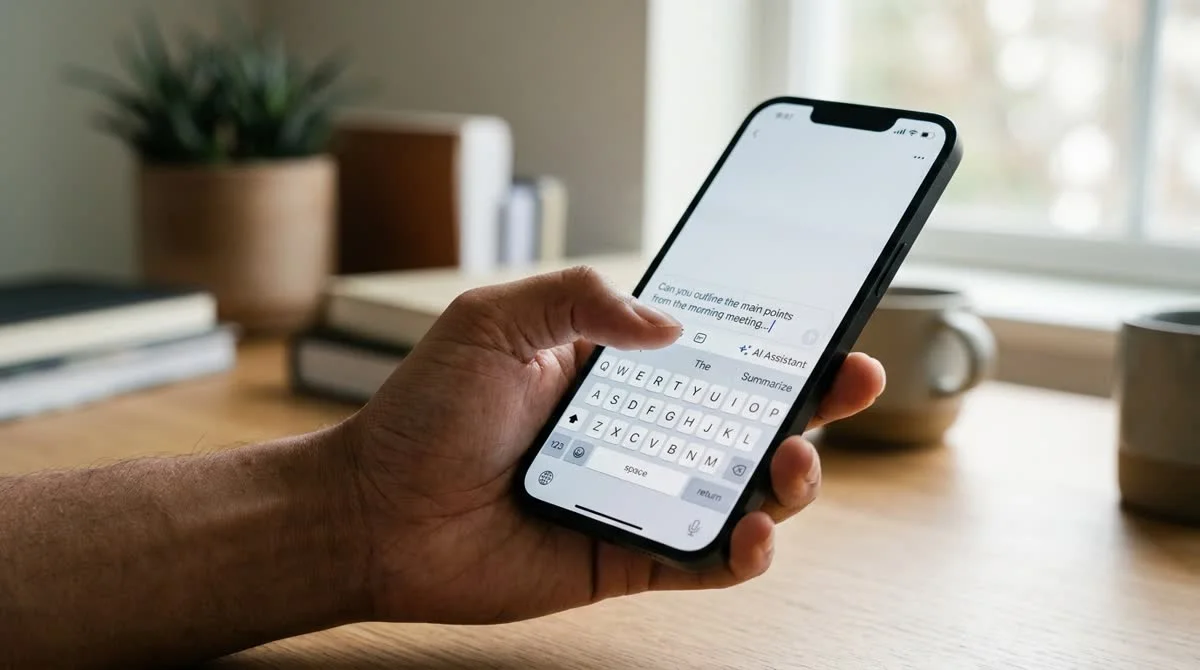
Startup Acti has built a text AI directly into the iPhone and Android keyboard. Users now get help from AI agents when writing messages and emails, without switching between apps.
What the Acti keyboard can do
Acti replaces the default system keyboard with its own, which has AI agents built in. Instead of opening a separate AI chat, the user reaches the assistant right in the input field, where they are already typing. No copying, no switching between apps.
The key feature is custom AI shortcuts created in natural language. The idea: you describe once what a shortcut should do ("translate into English", "reply briefly and politely", "phrase it as a business email", "pull out three key points"), and from then on you run it with one tap in any app: a messenger, email, a browser, Google Docs or notes. Shortcuts are saved and work on top of any text in the input field.
The keyboard is available on iOS and Android, which covers the vast majority of smartphones on the market.
Why a keyboard?
The keyboard is one of the few smartphone components that is active in all apps at once. That makes it an ideal place to embed AI: the assistant appears exactly where the user is already working with text, rather than requiring a separate visit.
The usual smartphone AI workflow looks like this: you are writing an email in Gmail and want to rephrase a paragraph. You have to stop, open ChatGPT or another AI app, paste the text, wait for the answer, copy the result back and return to your mail. On mobile that is four to six switching steps for one simple action.
Acti removes all those steps. Tap a shortcut right in the input field and get the result right there. On a smartphone, where every jump between apps takes several seconds, the savings are noticeable even with a few operations a day.
Other keyboard makers have tried this path before: Microsoft's SwiftKey and Google's GBoard added dedicated AI buttons. Acti goes further: instead of a fixed set of commands, it offers fully customizable shortcuts that the user defines in everyday language.
AI in smartphones: what the platforms are building
Apple and Google are developing AI at the operating system level, with Apple Intelligence and Gemini Nano, offering access to the context of the whole screen, app control and offline operation on new devices. Both companies position built-in AI as a long-term competitive advantage for their ecosystems.
The weak spot of the platform approach is slow update cycles and dependence on hardware generation. Many Apple Intelligence features are available only on iPhone 15 Pro and later; Gemini Nano runs only on new Pixel and Samsung Galaxy devices. Hundreds of millions of users with 2022–2023 devices will not get these features in the foreseeable future.
A third-party keyboard works regardless of OS version and is available on a wide range of devices, both flagship and budget. For Acti, this is a direct route to an audience that will not see platform AI for a long time.
What this means
Acti is betting on a simple idea: an AI assistant does not need its own app, it only needs to be where people already work with text. The approach removes a real friction of mobile AI, the constant context switching between a working app and an AI chat. The keyboard reaches devices that Apple and Google will not bring platform AI to for some time. If Acti attracts users, it will show that competing with built-in AI layers is possible not only from the position of a large corporation, but also with a niche tool that has taken a strategically right place.
How do you use Acti's AI in text input?
The user gets access to AI agents right in the text input field, without copying text or switching between apps. One of the key tools is custom AI shortcuts created in natural language.
Which apps does the Acti keyboard work in?
It works in any app: the user gets AI help right in the text input field without switching between apps.
- Nov 1, 2026Local models lose to Opus and Codex: 0.21 on a MacBook versus 1.00 for Codex
- Nov 1, 2026Kimi scores 96.2% on a 1C database analytics test and emerges as a fallback if Claude access is blocked
- Nov 1, 2026OpenAI Rewrites GPT Behavior Rules: Five Values and a Chain of Command
- Nov 1, 2026Google admits AI Mode cuts search revenue, shares fall 15%
Key Questions Answered
Why a keyboard?
The keyboard is one of the few smartphone components that is active in all apps at once. That makes it an ideal place to embed AI: the assistant appears exactly where the user is already working with text, rather than requiring a separate visit. The usual smartphone AI workflow looks like this: you are writing an email in Gmail and want to rephrase a paragraph. You have to stop, open ChatGPT or another AI app, paste the text, wait for the answer, copy the result back and return to your mail. On mobile that is four to six switching steps for one simple action. Acti removes a
How do you use Acti's AI in text input?
The user gets access to AI agents right in the text input field, without copying text or switching between apps. One of the key tools is custom AI shortcuts created in natural language.
Which apps does the Acti keyboard work in?
It works in any app: the user gets AI help right in the text input field without switching between apps.
Test Frontier LLMs & Autonomous Agents in One Workspace
Run Claude Opus 5.5, GPT-6, Gemini 3.1, and DeepSeek side-by-side in Nomad AI (nomadnet.ai) — unified model routing, deep research, and multimodal workflows under one subscription.
The AI world, distilled — once a week
Seven stories that actually mattered, hand-picked. No noise, no reposts, no press releases.
Done! Check your inbox for a confirmation.