OpenAI launches Computer use for Windows: Codex can now control your PC
OpenAI has launched Computer use for Windows. Codex, the AI agent inside ChatGPT, can now perform tasks on your PC by clicking and filling in forms. The mobile app lets you supervise the process from any device.
AI-processed from @OpenAI; edited by Hamidun News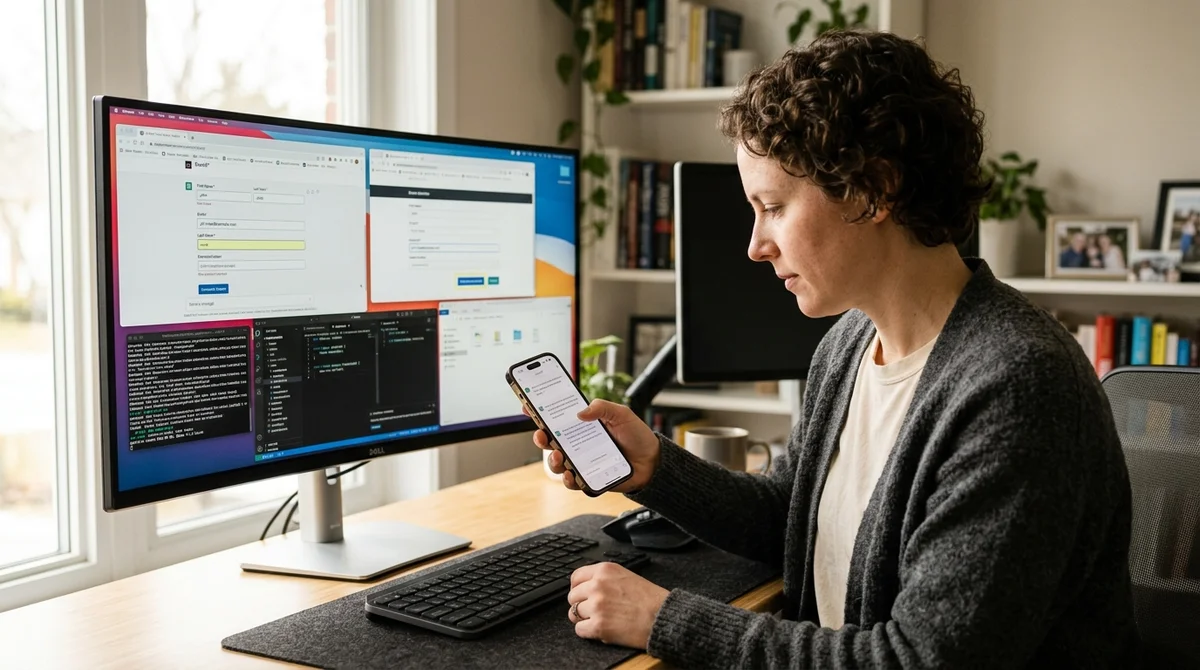
OpenAI has expanded Computer use by adding Windows support. Codex, a GPT-based AI agent built into ChatGPT, can now perform tasks directly on Windows machines and automate routine work. The mobile app lets you manage the process on the go: start tasks, check progress and step in in real time.
How Codex controls Windows
Codex works as a virtual assistant with vision: it sees the user's screen, finds the interface elements it needs, clicks buttons, fills in text fields and reads the results of its actions. In essence, it imitates human actions, but with the speed and precision of an agent.
The agent can work with the browser, desktop applications, email and system tools, in practice with any program running on screen.
Until now, this feature was available only to macOS users. Windows users had waited several months for support. It has now arrived, and that matters: roughly 70% of the world's computers run Windows. This means a person working on a PC at home or in the office can now ask AI to help with routine tasks directly through ChatGPT, without resorting to paid RPA platforms.
Mobile control is the key advantage
The ChatGPT app for iPhone and Android now supports Windows. A user can open the app, describe a task and launch it, and Codex starts working on the PC at home or in the office. The user can take a walk, grab a coffee or chat with someone while the machine works independently.
The key point: the mobile app lets you not only start the process but also monitor it in real time. You can watch the agent click, see which stage it has reached and read errors. If something goes wrong, you can stop or redirect the task straight from your phone.
This is a hybrid mode: human plus AI, where the machine does the mechanical part and the human stays in the loop for oversight.
What tasks it opens up
Computer use is not a magic wand yet, but for certain types of work it saves hours. Codex is especially good at simple, repetitive actions:
- Filling in forms and spreadsheets (moving data from one application to another)
- Automatically searching websites for information and collecting data
- Downloading, renaming and organizing files
- Sending templated messages (email, chat, CRM)
- Checking the status of orders, invoices and documents in a few clicks
But the agent can get confused by CAPTCHAs, two-factor authentication or highly unusual interfaces. It is not a solution for complex cognitive tasks; it is better seen as a tool for reducing friction in mechanical computer work.
What this means
Computer use for Windows is a turning point in the evolution of AI assistants. Previously, this feature was an exotic option for Mac users. Now most Windows users (office workers, enterprises, ordinary people) get access to automation through ChatGPT.
It will almost certainly become standard within the next few years, just as autocomplete is standard today. For business, this means simpler RPA (robotic process automation): instead of complex code, you can simply describe the process in ChatGPT.
- Nov 1, 2026OpenAI Rewrites GPT Behavior Rules: Five Values and a Chain of Command
- Nov 1, 2026Google admits AI Mode cuts search revenue, shares fall 15%
- Oct 31, 2026Author puts his script before an AI jury: the verdict cost 850 thousand tokens
- Oct 31, 2026Anthropic: Fold Subagents Back Into a Single Loop — One Customer's Tasks Ran Twice as Fast
Key Questions Answered
How Codex controls Windows?
Codex works as a virtual assistant with vision: it sees the user's screen, finds the interface elements it needs, clicks buttons, fills in text fields and reads the results of its actions. In essence, it imitates human actions, but with the speed and precision of an agent. The agent can work with the browser, desktop applications, email and system tools, in practice with any program running on screen. Until now, this feature was available only to macOS users. Windows users had waited several months for support. It has now arrived, and that matters: roughly 70% of the world'
What are the key details on Mobile control is the key advantage?
The ChatGPT app for iPhone and Android now supports Windows. A user can open the app, describe a task and launch it, and Codex starts working on the PC at home or in the office. The user can take a walk, grab a coffee or chat with someone while the machine works independently. The key point: the mobile app lets you not only start the process but also monitor it in real time. You can watch the agent click, see which stage it has reached and read errors. If something goes wrong, you can stop or redirect the task straight from your phone. This is a hybrid mode: human plus AI,
What tasks it opens up?
Computer use is not a magic wand yet, but for certain types of work it saves hours. Codex is especially good at simple, repetitive actions: Filling in forms and spreadsheets (moving data from one application to another) Automatically searching websites for information and collecting data Downloading, renaming and organizing files Sending templated messages (email, chat, CRM) Checking the status of orders, invoices and documents in a few clicks But the agent can get confused by CAPTCHAs, two-factor authentication or highly unusual interfaces. It is not a solution for complex
Build & Ship Production AI Agents Without Boilerplate Code
Start your free 72-hour trial at Hamidun Academy (academy.hamidun.com) — interactive lessons on Claude Code & Cursor, live Tech Radar, and production agent templates.
The AI world, distilled — once a week
Seven stories that actually mattered, hand-picked. No noise, no reposts, no press releases.
Done! Check your inbox for a confirmation.