Planulix: a control center for Claude Code, Cursor, and Kimi in one tool
Did your development environment stall because access to one AI vendor was blocked? Planulix brings Claude Code, Cursor, Codex, and Kimi together in a single control center. When one vendor is unavailable, switch to another without stopping work or losing context. A multi-vendor setup as a fallback for critical projects where time is at a premium and downtime is unacceptable.
AI-processed from Habr AI; edited by Hamidun News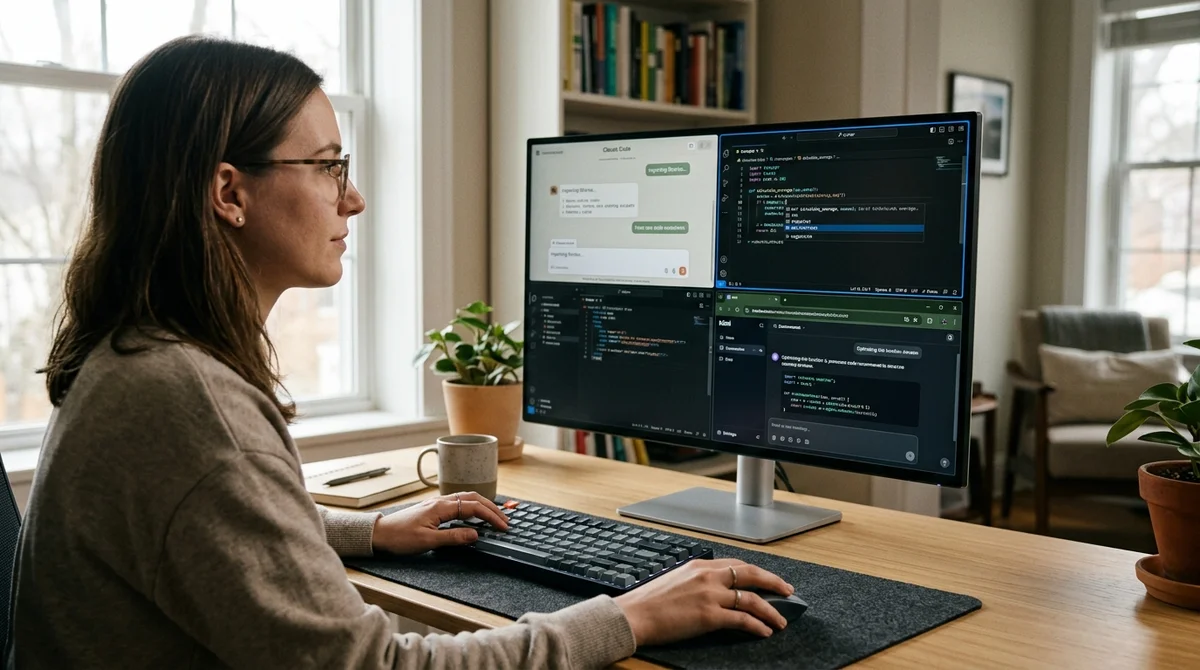
The familiar situation to many developers: you're actively working with Claude Code, Cursor, or another AI coding tool, and suddenly — access is blocked. Maybe it's company policy, geolocation, or the service just went down. The result is one: the project stalls, deadlines burn, and switching to manual coding in five minutes is impossible. A developer who faced exactly this problem assembled a solution — the Planulix tool. It's not a separate AI, but a management center that combines several AI vendors in a single interface. Result: when one goes down — you're already working with another.
Why single vendor is risky
Dependency on a single service provider is a classic problem in development. History is full of examples: API broke, service is geoblocked, company changed subscription policy, or just a technical outage on the vendor's side. If this happens to Claude Code, Cursor, or Codex at a critical moment, all productivity drops instantly.
A developer loses not just the tool. He loses project context — the entire conversation history where architectural decisions were discussed, bugs were fixed, technical questions were solved. Switching to another service and re-explaining the project history — that's an hour of work plus loss of momentum.
Moreover, different AI tools have different strengths. Claude Code better understands architecture of large systems and refactoring. Cursor is more convenient for local fixes and working with errors in file context. Codex is stronger in generating standard code from templates. Kimi processes huge contexts and handles analysis of complex documentation. If you're a professional developer, you want all four in your arsenal — but not switch between them each time like a patient.
How Planulix works
Planulix is a management center for multiple AI vendors. The tool allows you to connect Claude Code, Cursor, Codex, and Kimi in one interface and switch between them instantly — without losing project context and conversation history.
The architecture is built on three pillars:
- Single context storage — all code history, conversations, and comments are stored in one place, visible to all connected AI
- Instant switching — changing vendor through menu or hotkey, half a second, and new AI already sees all context
- Real-time synchronization — changes made by one AI are immediately visible to another
When one vendor is unavailable, you simply select another from the dropdown. Your project context stays in place, and the new AI sees the entire history — from the original skeleton to the latest fixes and comments. You don't rewrite the task description, don't copy code into a new chat, don't update anything. You just switched.
Four tools in one
On the first version Planulix supports four main players in the AI coding category. Each specializes in different:
- Claude Code — architectural decisions, refactoring large projects, systems thinking about the design of the entire system
- Cursor — local fixes, context analysis of specific files, fast work with errors and exception stacks
- Codex — generation of template code, quick prototypes, coverage with standard patterns and boilerplate
- Kimi — work with very large contexts (200K+ tokens), analysis of complex documentation, deep understanding of complex domains
Instead of manually forwarding context between tools or rewriting conversation history, Planulix keeps all four in sync. You work with Claude Code on architecture, then you need a local fix — one command, and you're in Cursor with full history. Then you need a quick prototype of standard code — Codex. Need to understand a large document — Kimi. No copy-paste, no context rewriting.
What changes for development
Multi-vendor is no longer optional — it becomes a mandatory safety net for serious teams. For teams where downtime in development means lost money and missed deadlines, this is critical. If one service goes down, is blocked, or runs out of quota, you don't lose a minute thanks to ready switching to another.
For business it means that AI tools transition from the category "convenient hobby" to the category "critical development infrastructure". And like any critical infrastructure, you need backup and fault tolerance.
Need AI working inside your business — not just in your newsfeed?
I build production AI for companies — custom CRM, internal tools, autonomous agents, workflow automation. Owned by you, shaped to your process, no per-seat tax. Built by Zhemal Khamidun, CPO of AlpinaGPT (AI platform, 6,000+ users).
The AI world, distilled — once a week
Seven stories that actually mattered, hand-picked. No noise, no reposts, no press releases.
Done! Check your inbox for a confirmation.