agent-pool for Google AI and Gemini CLI released with pipelines, cron, and bounce-back
Google AI and Gemini CLI now have agent-pool — an MCP-server that assembles multi-agent processes into full-fledged pipelines. It can launch steps based on…
AI-processed from Habr AI; edited by Hamidun News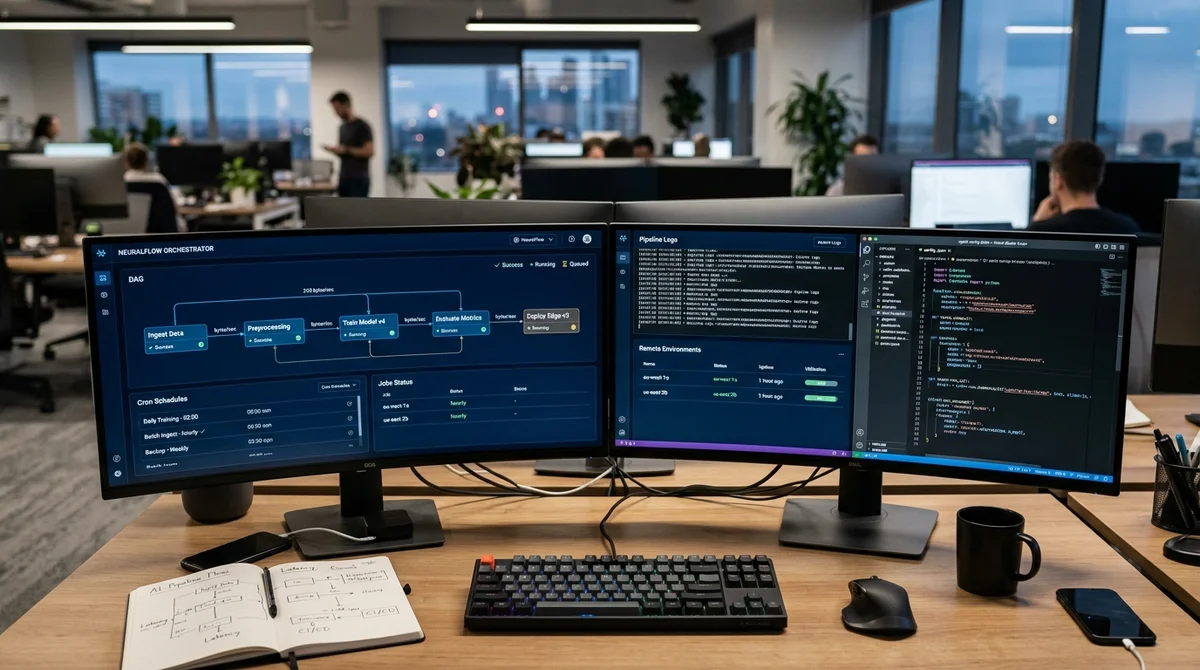
Google AI and Gemini CLI now have a new open-source orchestration layer for agents. The agent-pool MCP server collects scattered delegations into pipelines, can return tasks for revision, run them on schedule, and offload execution to remote machines.
Automatic Orchestration
The problem that almost every multi-agent scenario faces is simple: the main agent spends too much time not working, but dispatching. If steps depend on each other—analysis, refactoring, tests, deploy—the orchestrator must poll statuses, parse responses, and manually launch the next executor. Agent-pool moves this logic into a background daemon.
Through create_pipeline, steps and dependencies are described in advance, and the process itself remains alive even after restarting the IDE. The key idea is not just to run a worker, but to give agents a coordination language. After a stage completes, the executor sends a readiness signal, and if data is missing, the task can be returned for revision with an explanation.
This bounce-back is similar to Request Changes in code review: the previous step supplements the artifact and returns it to the chain. This makes the pipeline not a linear script, but a managed loop with a limit on the number of returns.
"A worker can delegate tasks further on its own—this is how the entire
fractal orchestration is built."
The article describes the main mechanisms of such a scheme:
- on_complete—launches the next step after a specific worker completes
- on_complete_all—waits for the entire group and does a fan-in before the next stage
- on_file—reacts to a file appearing on disk
- signal_step_complete—informs the daemon that the step is truly complete
- bounce_back—returns the task back, and maxBounces limits the number of cycles
Cron and SSH
Scheduling is handled separately. The schedule_task tool uses standard cron format, so an agent can be set to run daily or hourly without a separate scheduler. Importantly, the daemon sets atomic file locks: even if you open multiple IDE windows simultaneously, the same task will execute only once.
Results are stored in a scheduled-results folder, so the scenario can be used for both routine server checks and periodic assembly of weekly reports. If a local machine isn't enough, workers can be sent to a remote server via SSH. The runner is described in the agent-pool config, after which specific tasks begin executing on a dedicated machine with Gemini CLI installed.
The practical value is clear: tests, refactoring, or bulk code analysis continue even after the laptop is closed. The author describes a typical workflow: agents work in a separate branch, make commits, push results, and in the morning the developer simply opens a pull request and reviews the outcome.
Context and Control
Another useful detail is passing context between agents through Gemini CLI's built-in sessions. One worker can finish research, save the session_id, and the next one will pick up the same conversation and continue without retelling what was found. For long chains, this saves tokens and reduces errors at stage boundaries: the second agent sees not a dry summary, but the full analysis history.
Active sessions can be viewed separately and manually connected to if needed. There's also a restriction layer needed for real team work. Through policy, you can give an agent read-only mode or safe editing without the right to run commands.
If that's not enough, rules are set more precisely through a separate YAML file. The include_dirs parameter supplements this model: by default a worker sees only the working directory, and access to external configs or additional folders must be explicitly enabled. This approach makes automation significantly safer than unconditional full access to the entire project.
Finally, agent-pool introduces groups—essentially templates for fractal teams. You can record a runner, skill, policy, and max_agents limit in a group once, then send multiple executors from it without duplicating settings. These groups are saved between IDE restarts and are directly connected to pipelines.
If a step should execute in parallel, the daemon will spin up multiple agents, distribute indices to them, and wait for a common result. Fail-fast applies: if one worker crashes with an error or sends a bounce-back, other processes are immediately canceled to avoid wasting time and resources.
What This Means
For developers, this is a signal that AgentOps is moving from the level of experiments to the level of everyday tools. When pipelines, scheduler, remote runners, and access control gather around a single Google AI subscription, multi-agent scenarios become not a demonstration, but working infrastructure for code, tests, and routine automation.
Want to stop reading about AI and start using it?
AI News is a curated feed of AI/tech news. Hamidun Academy teaches you to use AI systematically in your work.